

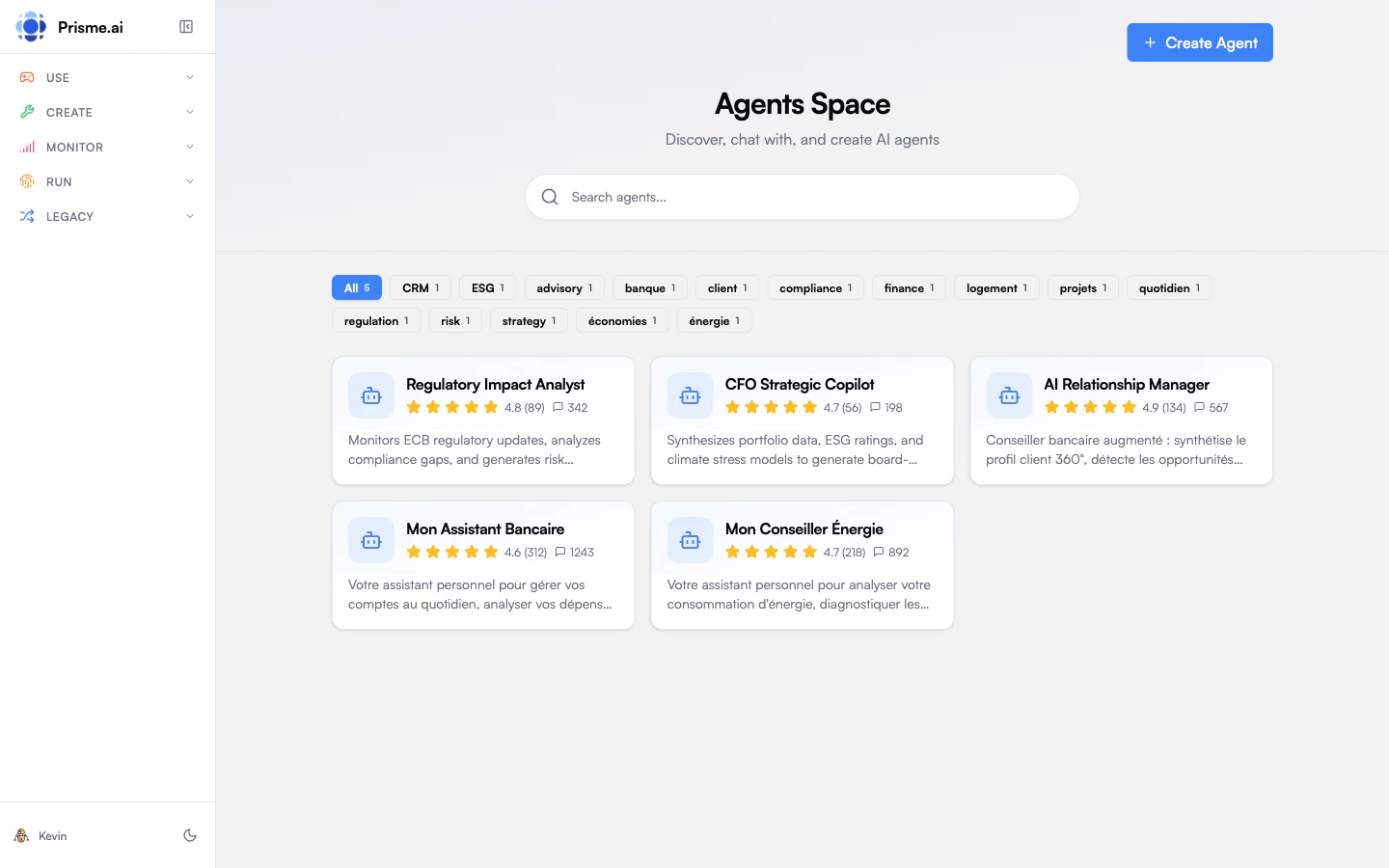
Agents Space
The Store displays all agents available to you in a searchable gallery called Agents Space.Finding Agents
Search: Use the search bar to find agents by name or description. The Available agents tab of the chat Home page carries the same search: it queries the whole catalog server side rather than filtering the agents already loaded, so an agent that sits far down the list is one search away, and Load more keeps paginating within the search you typed. Categories: Filter agents by category tags. Each tag shows the number of agents in that category. Ratings: Agent cards display star ratings and conversation counts to help you identify popular, well-reviewed agents.Agent Cards
Each agent card shows:Agent Details
Click an agent card to see more details:- Full description of the agent’s purpose
- Capabilities - Tools and skills available
- Model - Which AI model powers the agent
- Tags - Category labels
- Suggested prompts - Example questions to get started
- Start Chat button to begin a conversation
Starting a Conversation
From the Store, you can start chatting with any agent:- Click an agent card to open details
- Review the agent’s capabilities and suggested prompts
- Click Start Chat
- You’ll be taken to the Chat interface with that agent selected
Pinning Agents
Pin your favorite agents for quick access:- Hover over an agent card
- Click the Pin button (bookmark icon)
- Pinned agents appear first in your list
Creating Agents
If you have permissions, you can create new agents directly from the Store:- Click Create Agent in the top right
- This opens the Agent Creator wizard
- Follow the steps to configure your agent
The Create Agent button is only visible if you have agent creation permissions. Contact your administrator if you need access.
Store vs Chat Home
Both the Store and Chat home show agents, but they serve different purposes:
Use the Store when you want to explore and discover agents. Use Chat when you know which agent you want and want to start quickly.
Next Steps
Start chatting
Learn how to have conversations with agents
Create an agent
Build your own custom agent