

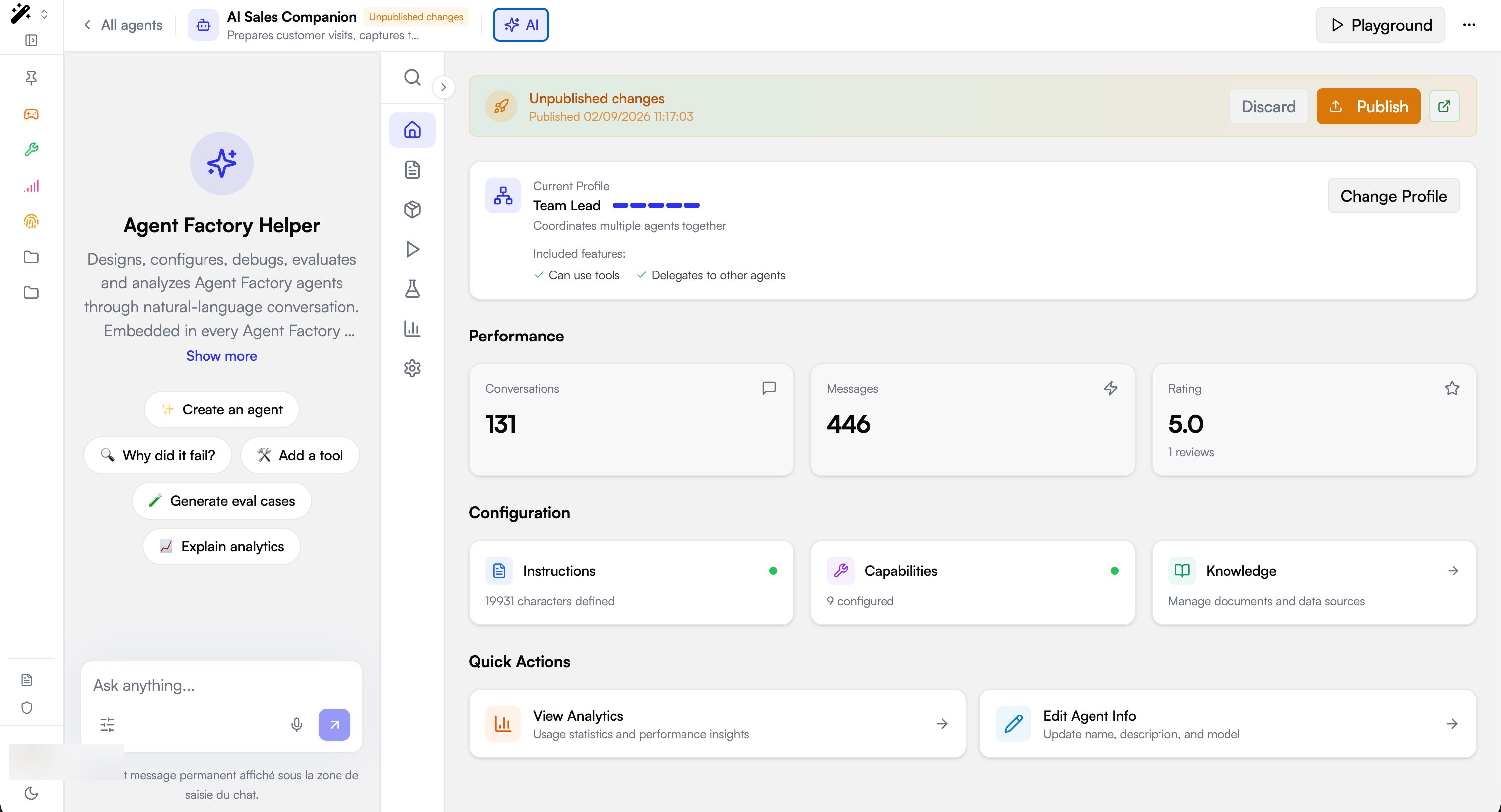
Default help agents
New organizations receive three help agents, provisioned during onboarding and visible in Governe → Menu Editor on the matching navigation item:
Platform-wide helpers live in a dedicated platform workspace, so the same agent id resolves in every organization. The Chat home helper is organization-specific: each organization gets its own, so it can be tailored without affecting other tenants.
More help agents will be added over time, and the same mechanism can bind a helper to any surface by its slug. The list above is the current default set, not a fixed limit.
How a help agent is bound
A help agent is a feature attached to a navigation item. Every item in the Menu Editor can carry one or more features; a feature of typeagent turns the item’s surface into a host for that assistant. Items that host one show a feature badge in the editor.
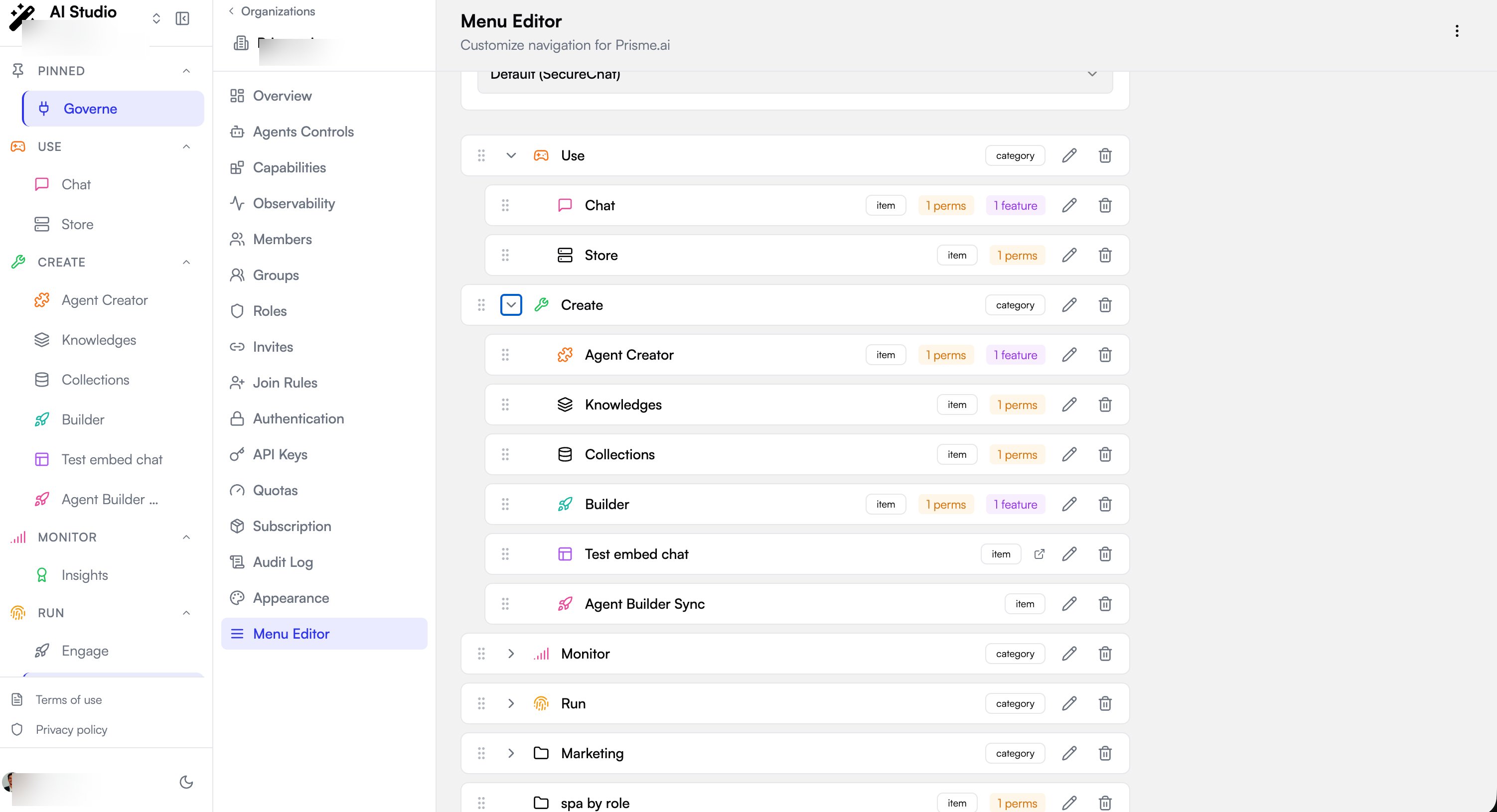
builder-helper), reads the bound agentId, fetches that agent’s full record, and renders it in the embedded assistant panel. The panel’s quick-action buttons come from the agent’s own conversation starters, so changing the agent changes the assistant everywhere it is bound.
Configure a help agent
Configuring help agents requires access to Governe → Menu Editor for the organization. Navigation is an organization-level setting: changes apply to every member of that organization.
1
Open the Menu Editor
Go to Governe → Menu Editor.
2
Edit the target navigation item
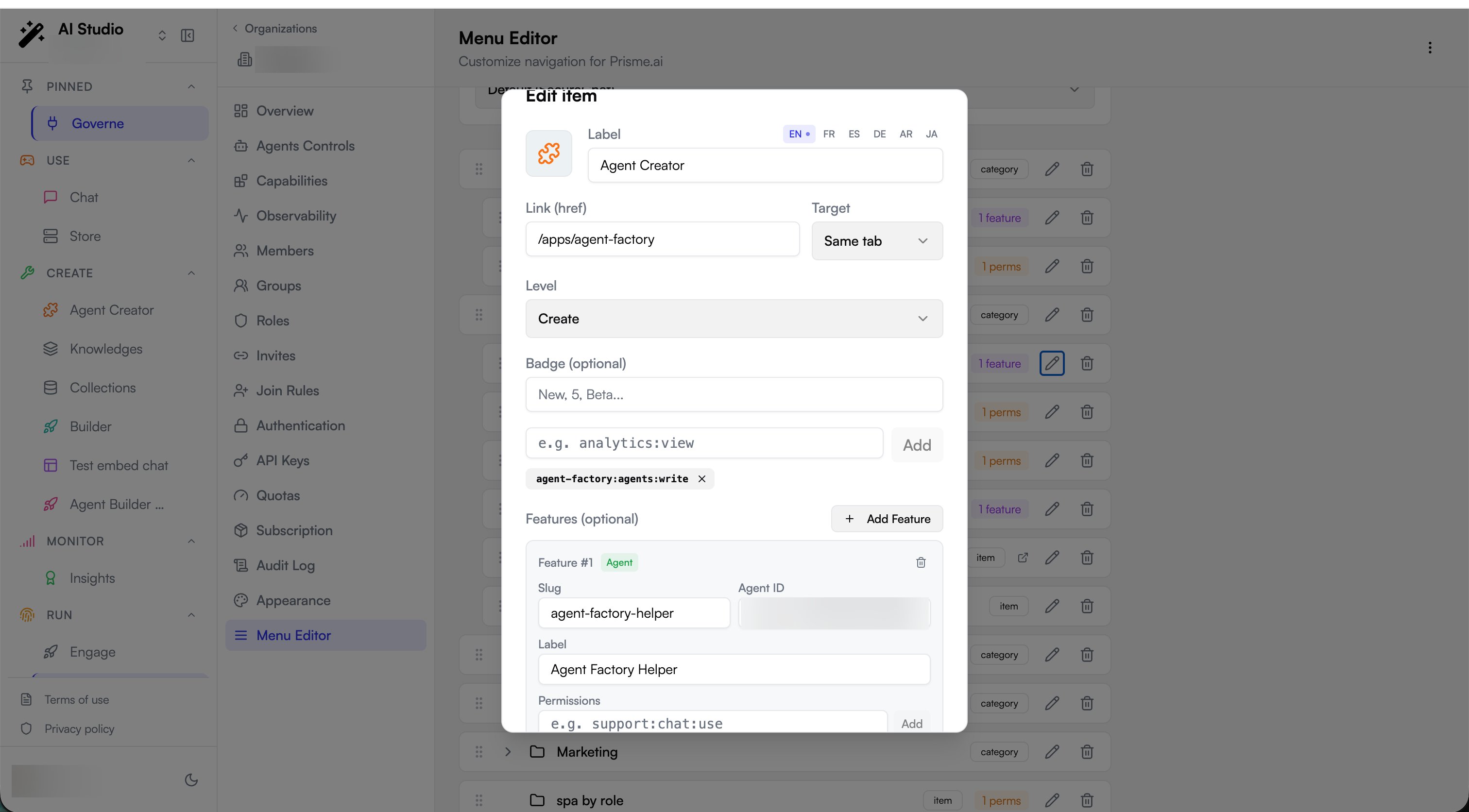
Find the item whose surface should host the assistant (for example Builder) and open it with the edit (pencil) action. A help agent must hang on an item that links to the surface where it should appear.
3
Add a feature
In Features (optional), select Add Feature. Keep the feature type set to Agent.
4
Fill the feature fields
Set the four fields:
5
Save
Select Save Changes. The navigation item now shows a feature badge, and users on that surface see the assistant.
Verify
- Open the surface the item links to (for example the Builder at
/builder). - Confirm the Ask anything… assistant panel appears with the Label you set and the agent’s quick actions.
- If the panel does not appear, confirm the feature Slug matches the one the surface requests, the Agent ID resolves to an agent the user can reach, and the user has permission to see the navigation item itself (items are hidden from users who lack the item’s own
permissions).
API configuration
Example request and feature shape
Example request and feature shape
Help agents are stored in the organization’s Feature shape:
navigation object, as a features array on the relevant menu item:Template features
The samefeatures mechanism also carries template features (type: "template" with a templateId) rather than an agent id. These surface workspace templates on a navigation item instead of an assistant. A single item can mix both: an agent feature for its assistant and template features for its quick-create entries.