

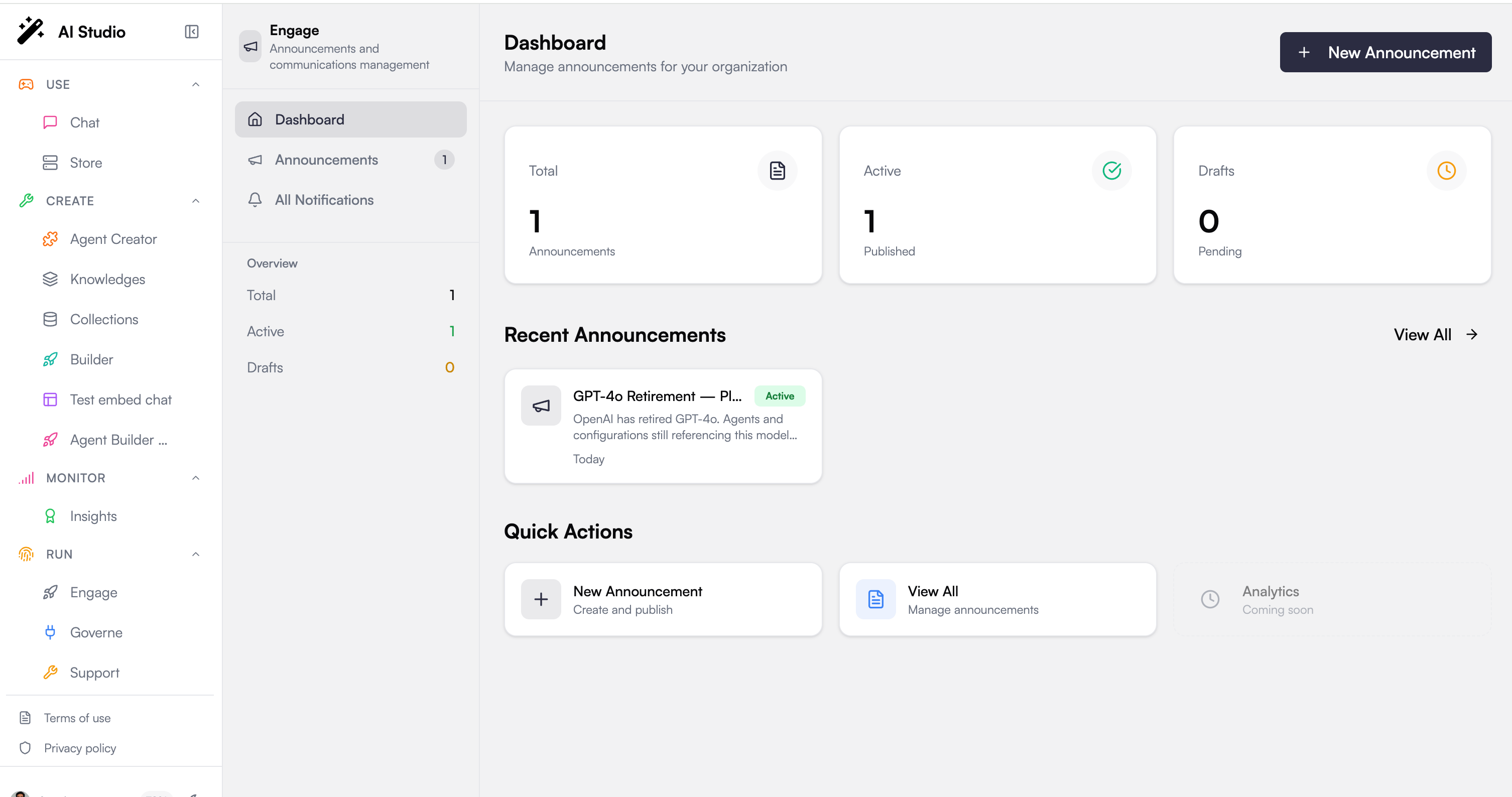
Stats at a glance
Three cards summarize the state of your announcements:Recent announcements
Below the stats, a list of your most recent announcements gives you fast access to what you have been working on. Each card shows the announcement’s icon, title, summary, status (Active or Draft), and how long ago it was created. Select any card to open it, and use View All to jump to the full Announcements list.Quick actions
The quick actions let you move without hunting through menus:New Announcement
Start a new announcement and publish it to your users.
View All
Open the full announcements list to filter, edit, or delete existing ones.
Next steps
Announcements
Create, edit, target, and publish announcements
Notifications
See the user-facing feed your announcements land in