


Where Engage fits in the story
The foundation gives you a full lifecycle, and Engage is the step most platforms forget:1
Build
Create agents and applications with Agent Creator and Builder.
2
Consume
Users discover and use them through the Store and Chat.
3
Measure
Track quality, usage, and compliance with Insights.
4
Engage
Announce, inform, and re-engage users to turn a catalog of agents into real, sustained adoption.
What you can do
Publish announcements
Craft rich announcements, title, summary, and formatted content, to tell users what’s new and why it matters.
Target the right audience
Deliver each message to the right people: by product, by role, by permission, or to specific users, nothing more, nothing less.
Reach users in context
Announcements surface as in-platform notifications users can read, open, and dismiss from a dedicated notifications inbox.
Work in every language
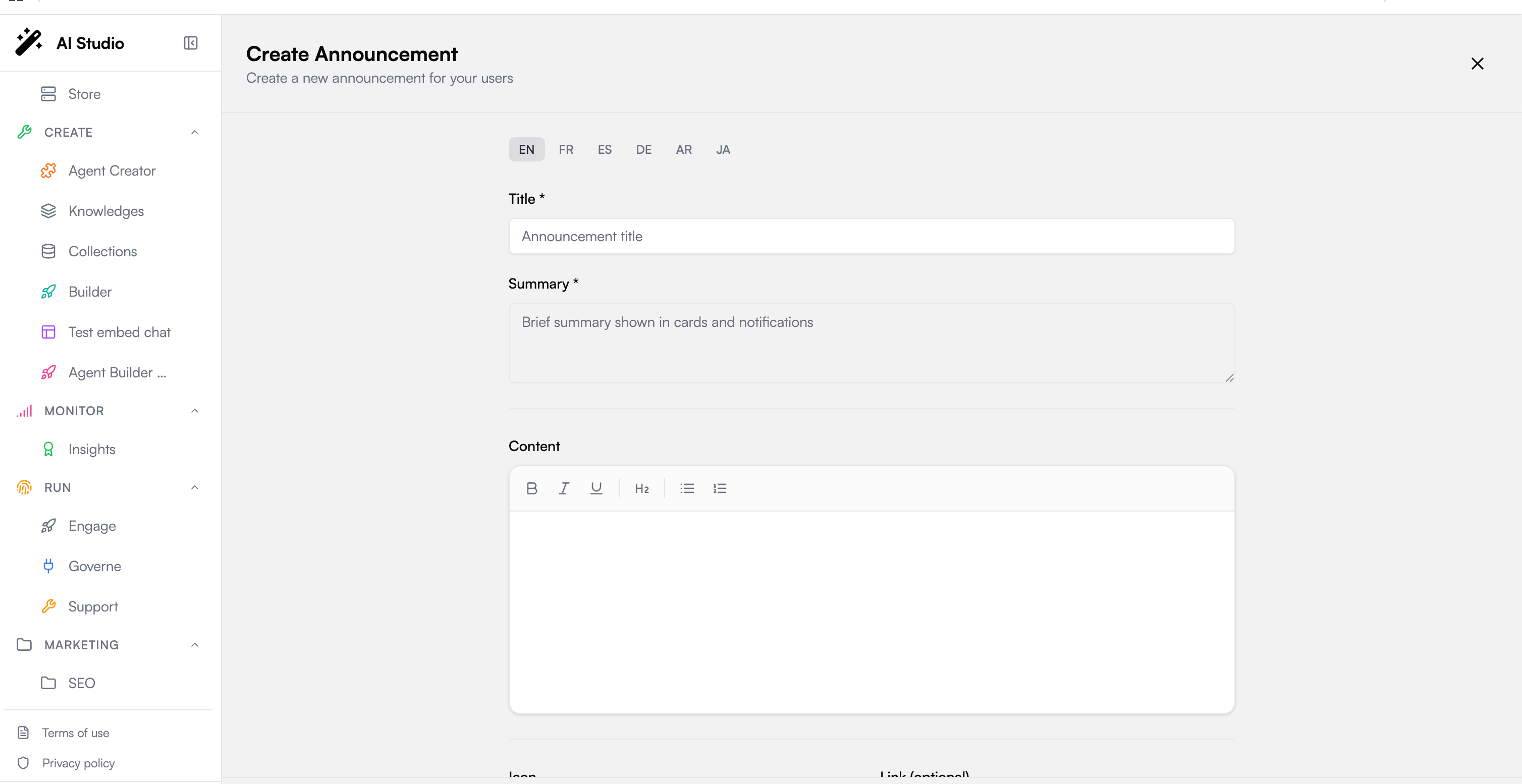
Author title, summary, and content per language (EN, FR, ES, DE, AR, JA) so each user reads the announcement in theirs.
How it works
Engage is organized into three areas.Dashboard
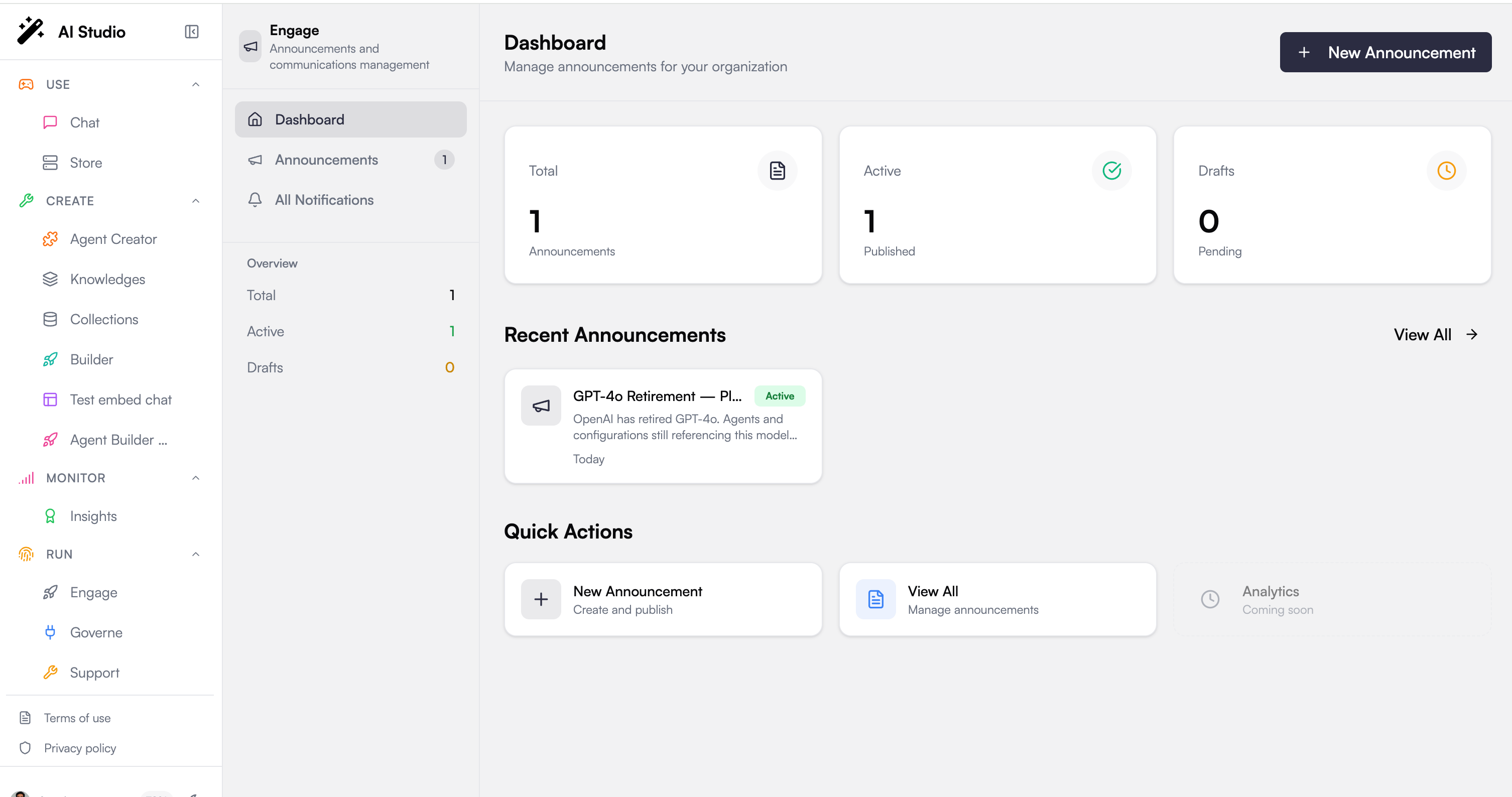
Your communications at a glance: how many announcements are Total, Active, and in Drafts, a list of recent announcements, and quick actions to create a new one or review existing ones.Announcements
The heart of Engage. Each announcement carries:- Title & summary, the summary is what users see first, in cards and notifications
- Rich content, a formatted body (bold, italic, underline, headings, bullet and numbered lists) for the full message
- Icon & link, an optional emoji and a click-through link (an internal route like
/features/newor an external URL) - Expiration, an optional date after which the announcement stops showing
- Status, save as a Draft to keep working, or Publish to make it live
All Notifications
The user-facing side of Engage. Published announcements become notifications users can filter (all / unread / read), open to read in full, and dismiss once handled.Targeting: the right message to the right people
Engage inherits the platform’s governance model, so who sees an announcement is defined with the same roles and permissions as everything else. For each announcement you choose the audience across four dimensions (combined so a user must match the targeting to receive it):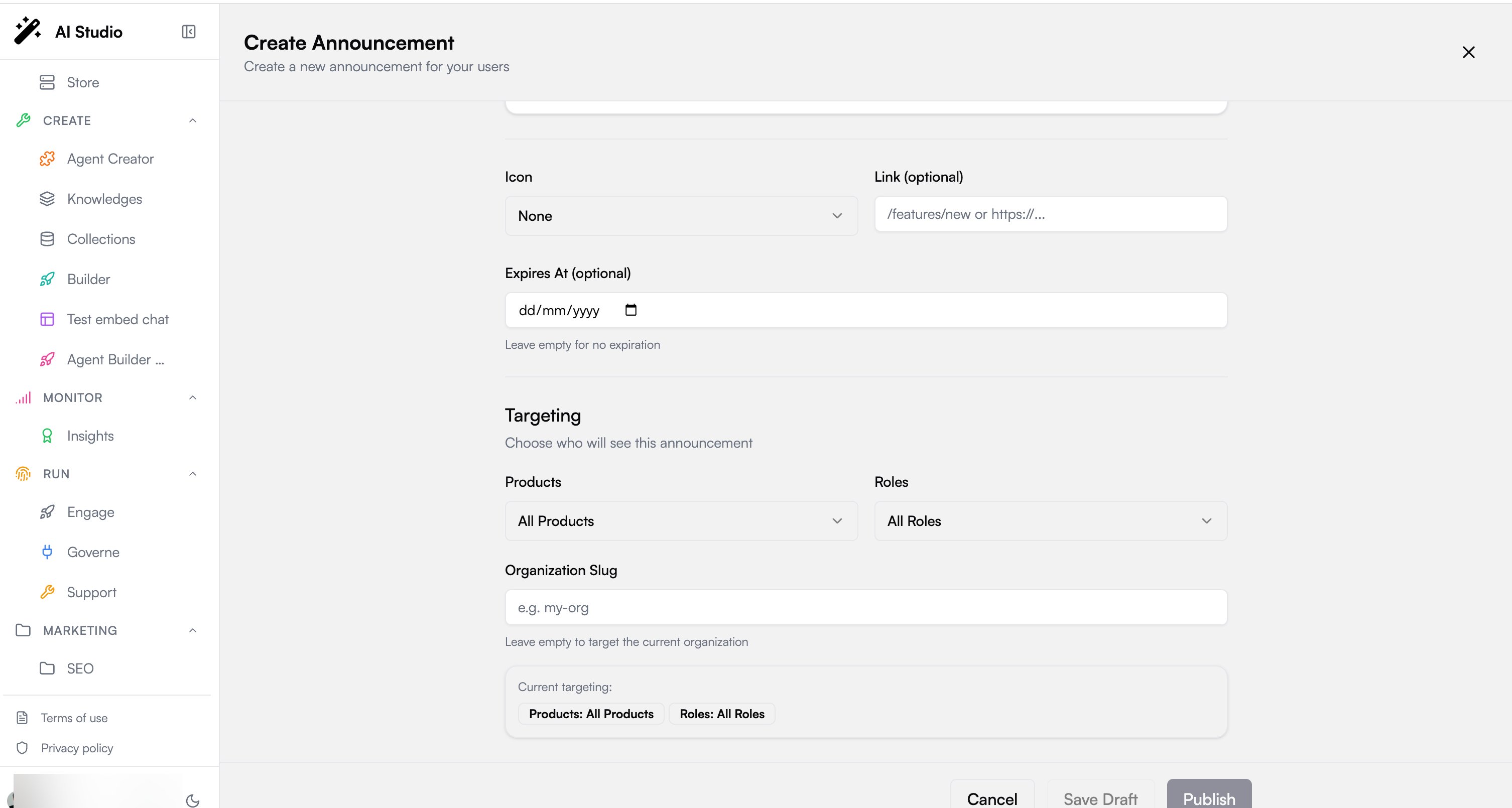
Central + per-org, as everywhere on the platform. Organization admins publish to their own organization. Platform super-admins can additionally target a specific organization by slug, the same two-level governance model that runs through Governe.
Next steps
Insights
Measure the adoption your announcements are driving
Governe
Understand the roles and permissions that power targeting