Documentation Index

Fetch the complete documentation index at: https://docs.prisme.ai/llms.txt

Use this file to discover all available pages before exploring further.

When an agent has memory enabled, it stores facts, preferences, and instructions across conversations so it can personalize replies. The Memories page in the organization view aggregates that store across the whole fleet.
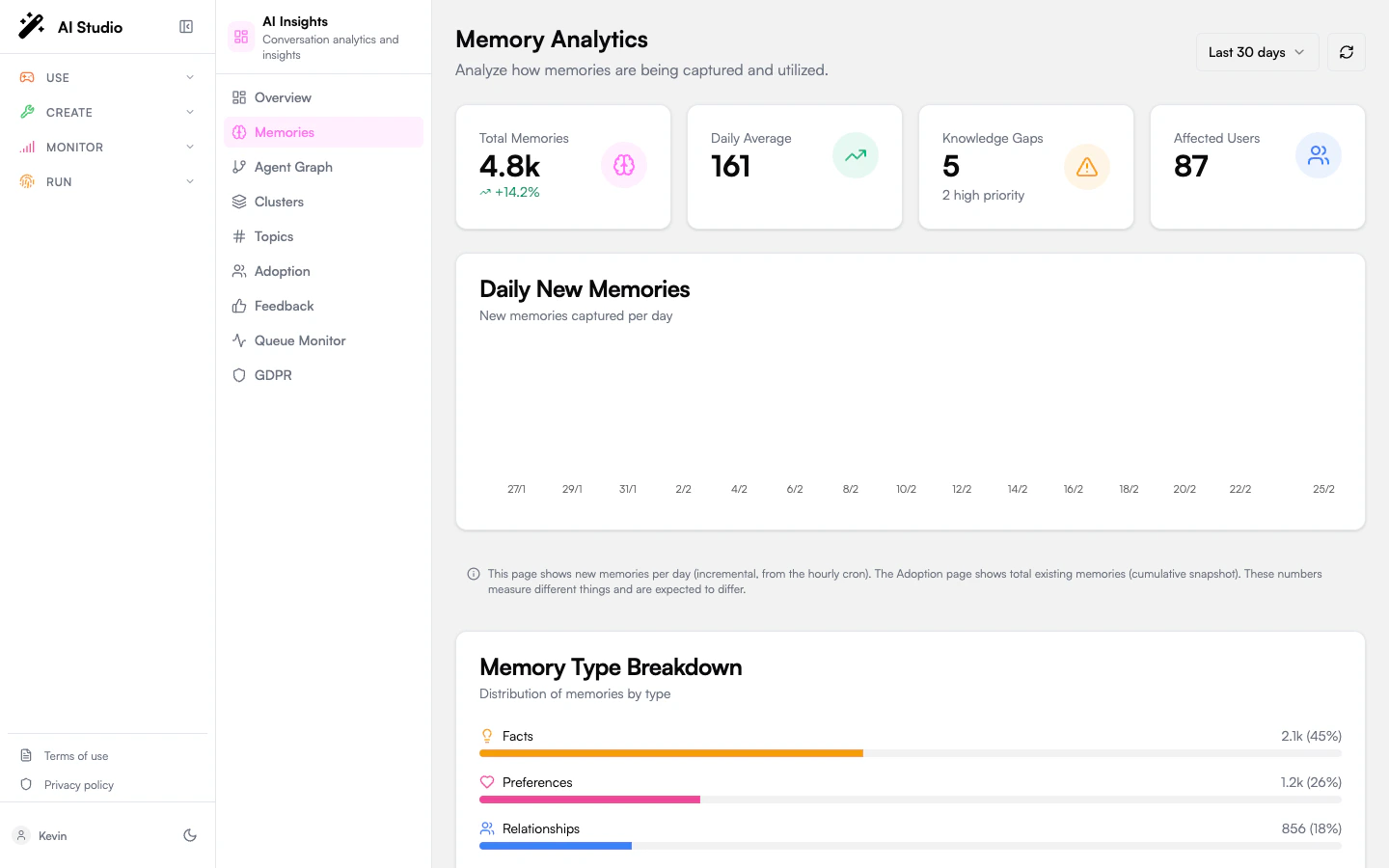
Memories page with KPI cards, daily new memories chart, type breakdown bars, and knowledge gap cards

Period selector

A 7d / 30d / 90d selector in the top-right scopes every chart and KPI on the page. The default is 30 days. A refresh button next to it forces a re-fetch of the analytics.

KPIs

CardWhat it means
Total MemoriesAll memories captured in the period. Trend badge is the percentage change against the previous period of the same length.
Daily AverageAverage new memories captured per day.
Knowledge GapsTotal topics where users asked something the agent didn’t know yet. The high-priority count is shown below.
Affected UsersEstimated number of distinct users who hit at least one knowledge gap.

Daily new memories chart

A bar chart showing how many memories were captured each day in the period. Use it to spot bursts (a feature launch, an incident) and lulls (an outage, a holiday).

Type breakdown

Memories are tagged with a type by the capture pipeline:
TypeWhat it stores
FactsVerifiable information about a user — role, location, customer ID, domain.
PreferencesWhat the user likes, dislikes, prefers — communication style, language, format.
RelationshipsHow the user relates to people, teams, or systems — manager, team members, key accounts.
InstructionsStanding orders the user has given — “always summarize in three bullets”, “never use Markdown”.
The breakdown shows count and percentage per type, plotted as horizontal bars.

Knowledge gaps

A gap is a topic users asked about repeatedly that the agent doesn’t yet have a memory for. Each gap card shows:
  • The topic name and a severity badge (high, medium, low).
  • The number of occurrences and the number of distinct users affected.
  • Up to five extracted keywords.
  • A suggested action — usually “add a knowledge base entry covering X” or “extend the agent’s instructions with Y”.
Use the gaps list as a backlog: each high-severity gap is a concrete documentation, knowledge base, or instruction change to ship.

Recommendations

A standalone card at the bottom lists priority-ordered actions the analytics pipeline derived from the gaps and the type distribution. Each entry has a priority badge (high / medium / low) and a short action string. These are advisory — the platform doesn’t apply them automatically.

Where to go next

See memories grouped by topic

Drill into specific topics, examples, and trend direction.

Read user adoption signals

Personalization depth as part of the adoption picture.