

Everything here applies whether you run Prisme.ai self-hosted or use a hosted Governe workspace. If you self-host, you define your own plans and assign them to your own organizations.
How it fits together
- A plan (subscription) is created once and can be reused by many organizations.
- Each organization points to one plan. Different organizations can run on different plans.
- The plan carries two kinds of limits:
- Hard limits (enforced): rate limits and budgets that actually block or slow requests when hit.
- Soft allowances (included): members, agents, interactions, storage. These are never blocked, they are simply tracked (and billed as overage if you charge back internally).
Viewing an organization’s plan
Go to Subscription in the organization sidebar to see the current plan, its limits and features, and the other plans available.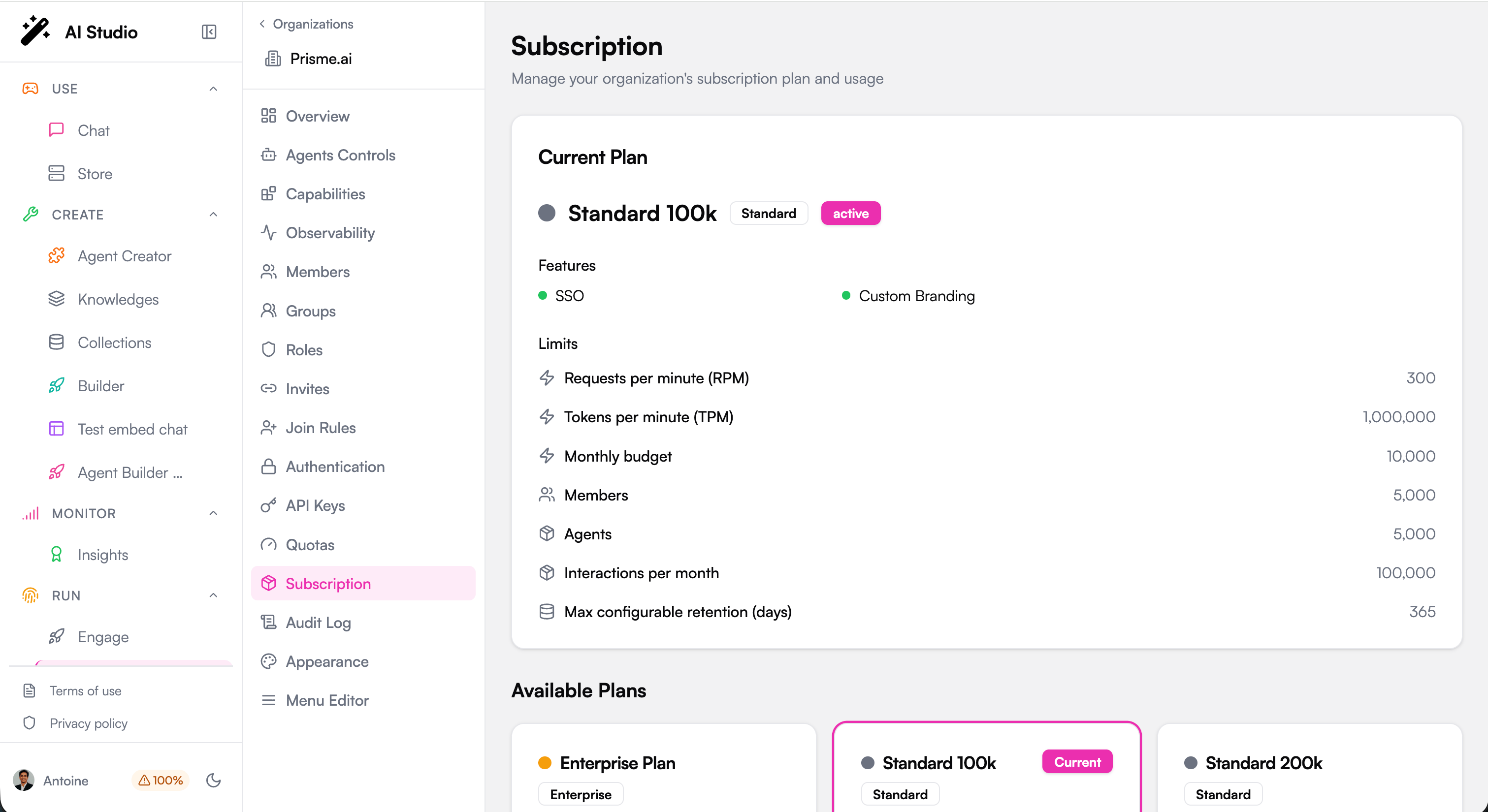
Creating a plan
Platform administrators create plans from Governe > Subscriptions > Create Subscription.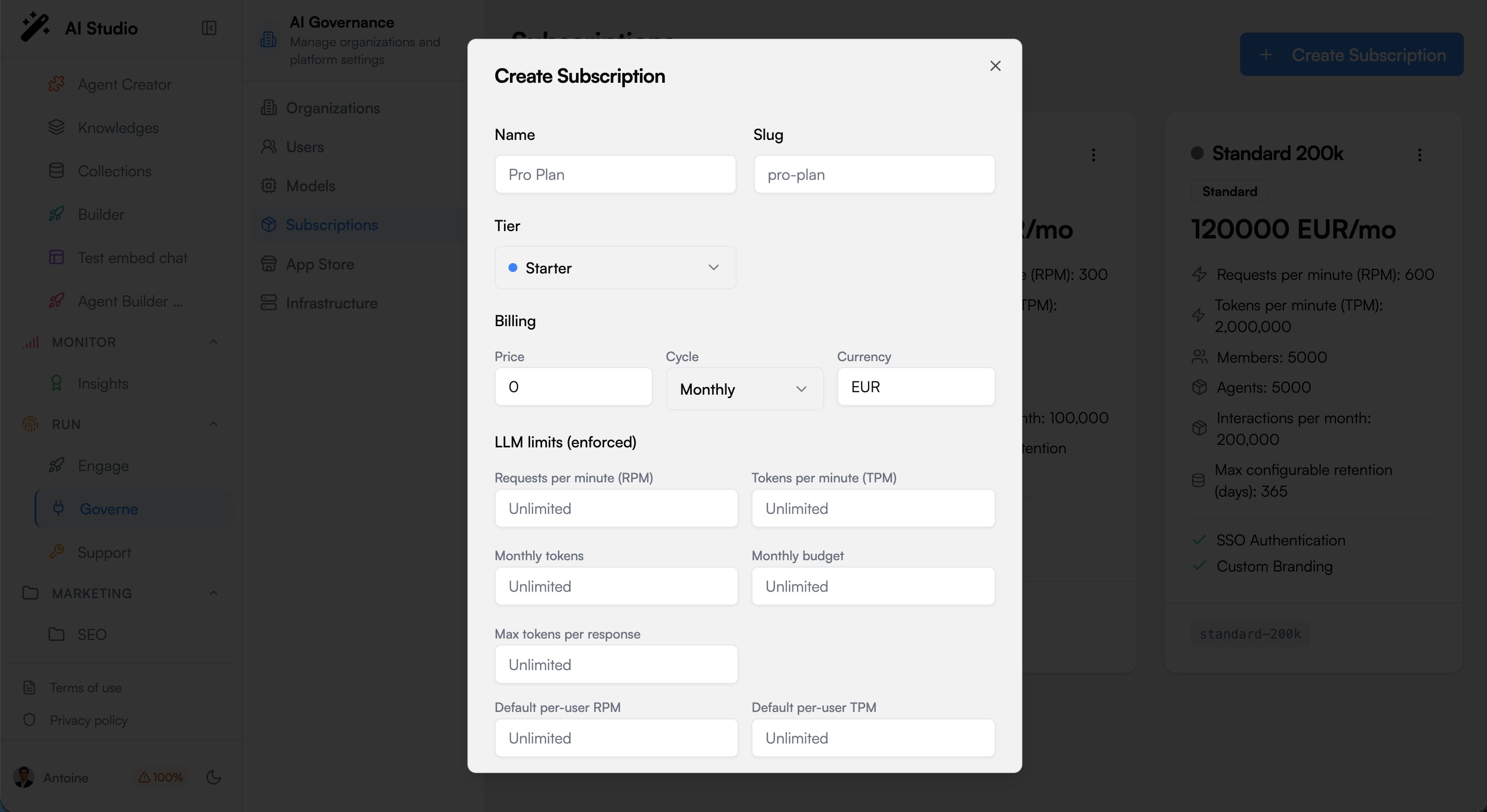
LLM limits (enforced)
These are the real guardrails. They apply on every path: chat with an agent, a direct call to the LLM gateway, or an automation triggered by an endpoint.Allowed model tiers
Restrict which model tiers this plan may use: Eco, Standard, Premium. Leaving all unselected means every tier is allowed. Use this to steer usage toward cheaper models. For a stricter, hard block on specific models, use the allowlist in Model Governance.Included (overage billed, never blocked)
Allowances that are tracked but never block a request:- Members and Agents included in the plan.
- Interactions per month: an interaction is any triggered usage (a message to an agent, a direct LLM call, an automation or workflow run).
- Storage for indexed content and conversations.
Features and retention
- Features: SSO, Custom Branding, and other capabilities toggled per tier.
- Max configurable retention (days): the longest data retention this plan allows. See Retention.
Watching usage in real time
Go to Quotas (Usage & Quotas) in the organization sidebar. Each enforced limit shows a live counter and a progress bar. The most restrictive limit always wins.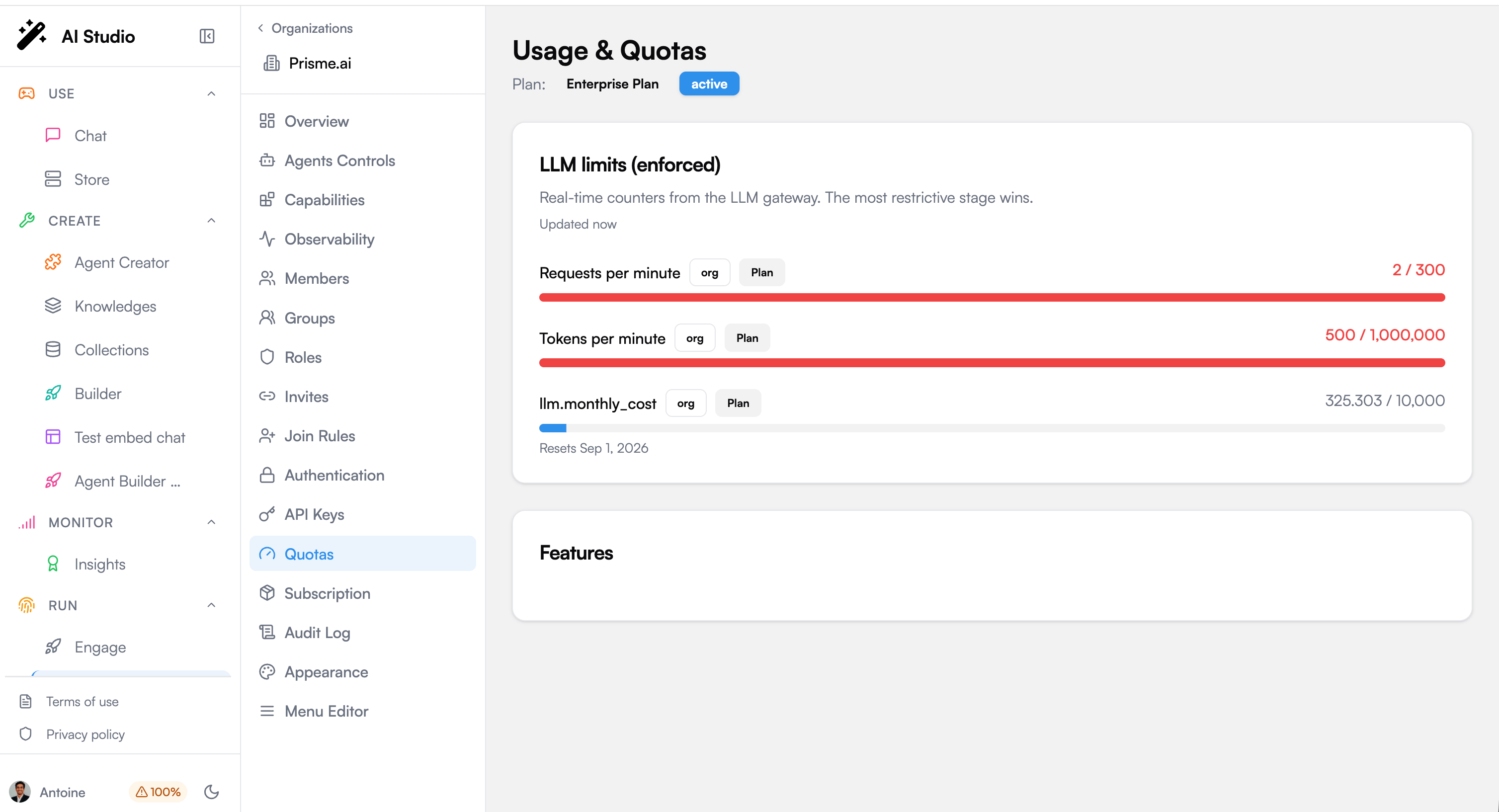
What happens when a limit is reached
The behaviour depends on the quota policy set in Model Governance:
Soft downgrade is often the best default: it protects your budget without breaking the user experience.
Keeping LLM cost under control
A subscription is your cost control panel. Here is how to think about it.The two dials
- Bound the speed with TPM (and TPM per user). Tokens are what cost money, so a tokens-per-minute cap is the single most effective way to bound how much can be spent in any period. Lower it and the maximum possible daily spend drops with it.
- Cap the total with the Monthly budget. This is the hard stop for the month, whatever happens.
Prefer cheaper models by default
Restrict Allowed model tiers to Eco (and Standard) for general usage, and reserve Premium for the plans or teams that truly need it. Or enable soft downgrade so overflow automatically shifts to a cheaper model instead of failing.One plan per organization, tuned to the team
Because a plan is attached per organization, you can give a heavy team a larger plan and a light team a smaller one. Their budgets are fully isolated: one team overspending never affects another.Handling a heavy consumer
The most common cost surprise is not the crowd. It is a single automated integration that calls the platform directly (outside the chat) and keeps running day and night. Left unchecked, it can consume a large amount continuously.1
Detect it
Use Observability to see cost and usage by organization and by user. A steady, round-the-clock consumer that never sleeps is almost always an automation or an integration, not a person.
2
Contain the burn rate
Set TPM per user low enough that even running non-stop, that user’s maximum consumption stays acceptable. This caps the individual without throttling the whole organization.
3
Cap the month
Set a Monthly budget on the organization as the backstop.
4
Stop it instantly if needed
Rate limits slow a runaway, they do not stop it. To stop it immediately, revoke the API key or access token it uses (see API Keys in the organization sidebar).
A newly changed limit applies immediately to chat sessions. For a long-lived direct-API integration, the new limit can take up to an hour to take effect on an already-open session, unless you also change something on that user’s membership (for example their role), which refreshes it right away. Revoking the key is always immediate.
Worked example: 10,000 collaborators
You are rolling out AI to 10,000 people. How do you size this without either blocking everyone or leaving the door open to runaway cost? The reflection first. Ten thousand people almost never means ten thousand at once. Real concurrency is usually a small fraction, so you size the organization-level RPM and TPM for the realistic peak, not for the headcount. The real risk is rarely the crowd: it is a single script or integration that loops. So the per-user caps and the monthly budget matter more than the raw org numbers. And you start conservative, watch the Quotas gauges, then loosen. Three ways to structure it:- A. One plan, org-wide
- B. Split by team
- C. Tiers by role
Simplest. One organization, one plan.
- Generous org RPM/TPM for the realistic peak.
- Tight per-user RPM/TPM so no single person or script can run away.
- A Monthly budget as the hard ceiling.
- Model tiers limited to Eco/Standard, Premium off (or soft downgrade on).
Next steps
Model Governance
Allowlists, default models, quota policy and downgrade rules
Observability
Track cost and usage by organization and user
Identity & Access
Members, roles and API keys
Audit Logs
The immutable trail of administrative actions