

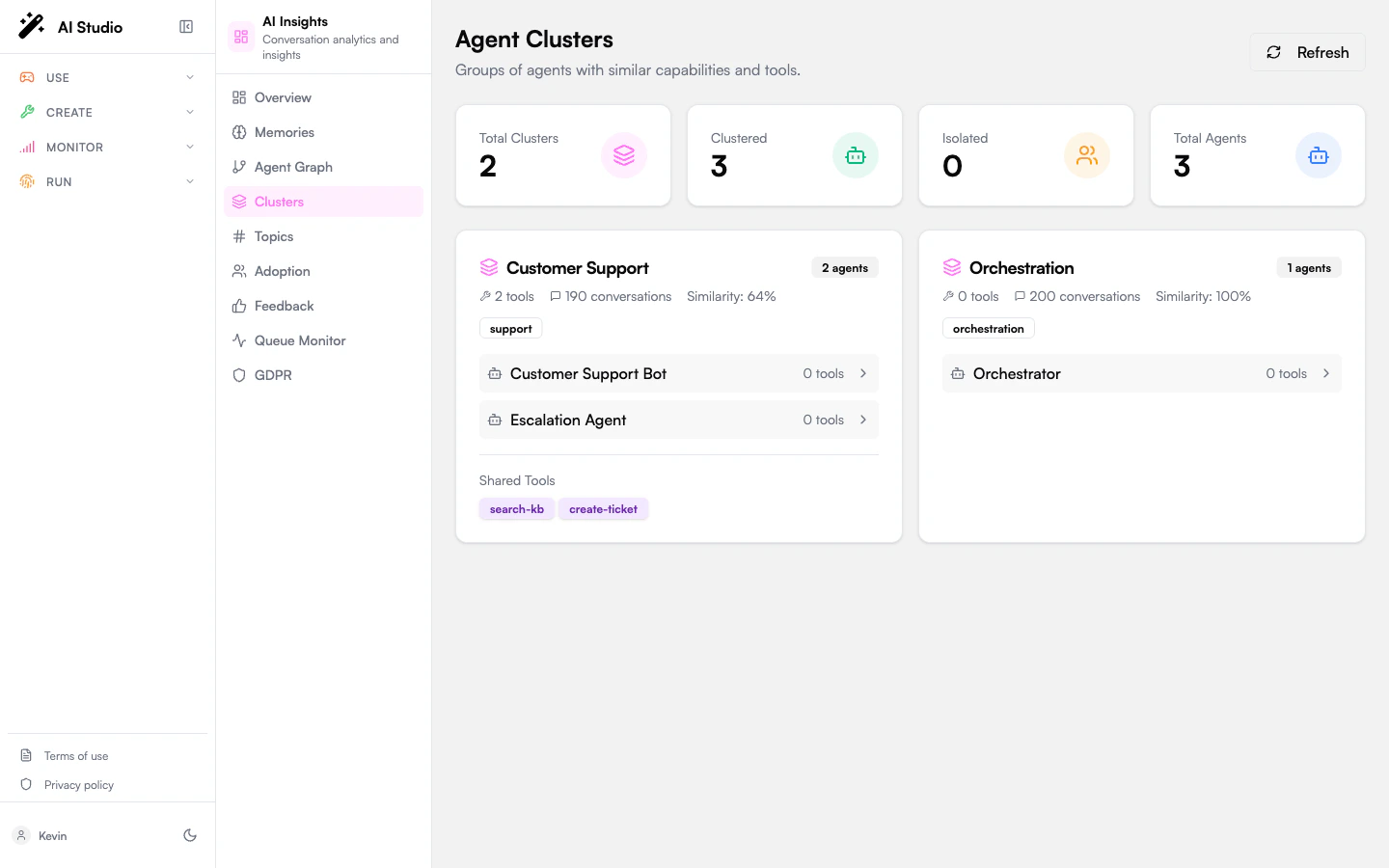
Stats cards
Four KPI cards:
A Refresh button next to the cards re-runs the cluster computation.
Cluster cards
Each cluster gets its own card with:- A title and an agent count badge.
- A description summarizing the cluster: number of tools, conversations, and overall similarity percentage.
- A list of categories the agents in the cluster share, as badges.
- The agents in the cluster: name, category, tool count, average score. Click an agent to enter its scoped view.
- A Shared Tools section listing the tools used by multiple agents in the cluster (capped at 8 visible, with a
+N morepill).
Isolated Agents
A separate card lists agents that don’t fit into any cluster, typically because their conversation pattern or tool stack is unique. The grid is clickable; pick any agent to enter its scoped view. Isolated agents aren’t necessarily wrong: a one-of-a-kind compliance agent or a specialized internal tool will often sit alone. But if you have many of them, that’s a hint that your fleet is fragmented.How clusters are formed
The cluster algorithm groups agents whose:- Conversation patterns (topics, intents, message structure) overlap.
- Tool usage overlaps.
- Combined similarity score exceeds the cluster threshold.
What to use this page for
- Consolidation candidates. A cluster with multiple agents doing nearly the same thing is a candidate for merging. The shared-tools list shows what they have in common.
- Coverage gaps. A category with no cluster (or only one agent) means a domain is under-served.
- Onboarding clarity. When a new team launches an agent that overlaps an existing cluster, you’ll see the new arrival join the cluster on the next refresh.
Empty state
When the org has no published agents, the page shows: “No clusters found. Clusters are formed based on agent similarity.”Where to go next
See clusters as a graph
Visualize similarity edges and node neighborhoods interactively.
Per-agent overview
Click any agent in a cluster to drill in.