

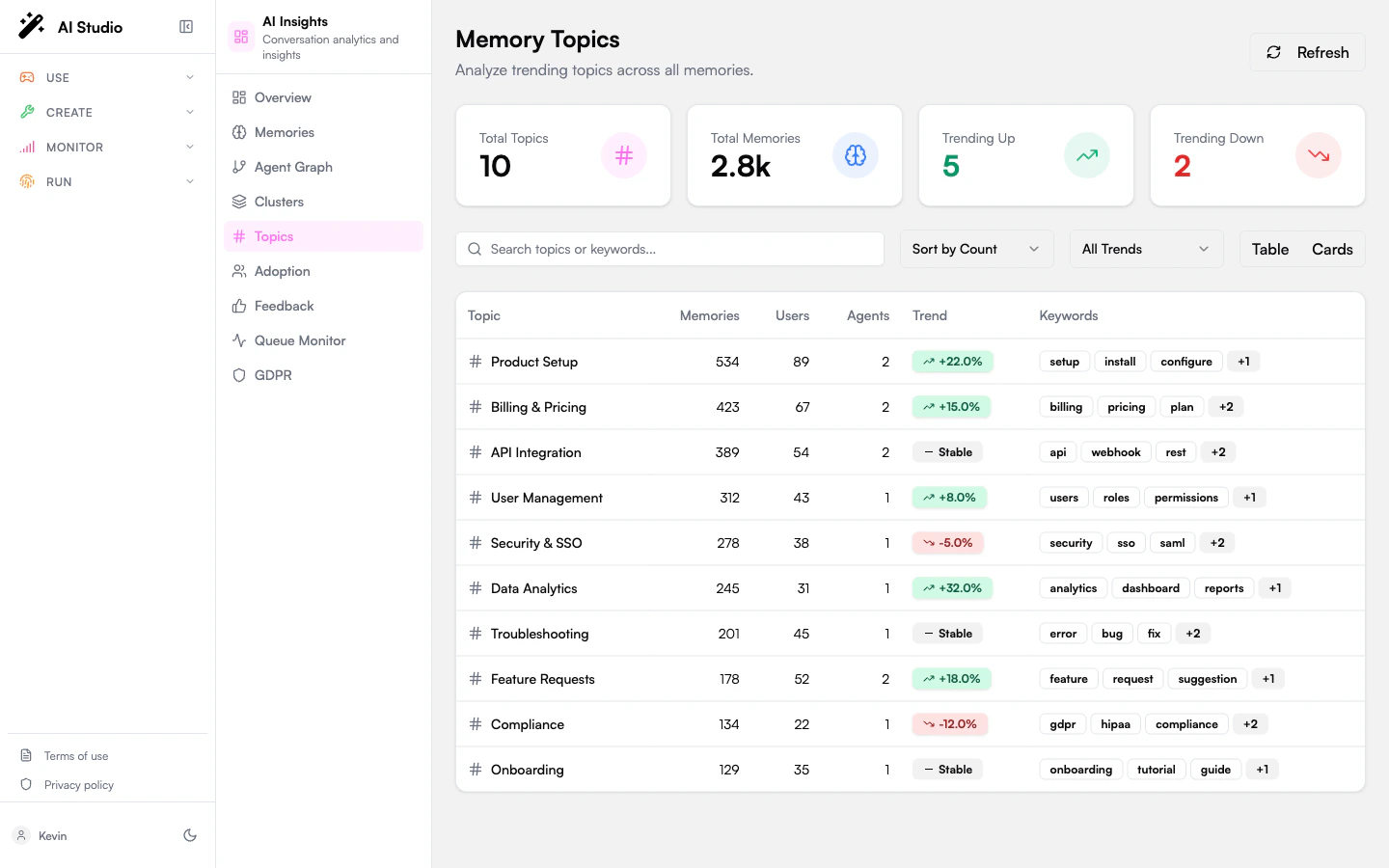
Stats cards
The four KPI cards at the top:Filtering and sorting
The header row above the table has:- A search input that matches against topic names and extracted keywords.
- A Sort by selector: Count or Trend.
- A Trend filter: All, Trending Up, Trending Down, Stable.
- A Table / Cards view toggle.
Table view
The default. Each row shows:- The topic name.
- Memories: total memory count for the topic.
- Users: distinct users mentioning it.
- Agents: agents that captured at least one memory under it.
- A trend badge (
+X%,−Y%, or “Stable”). - Up to three extracted keywords, with a “+N more” pill if there are more.
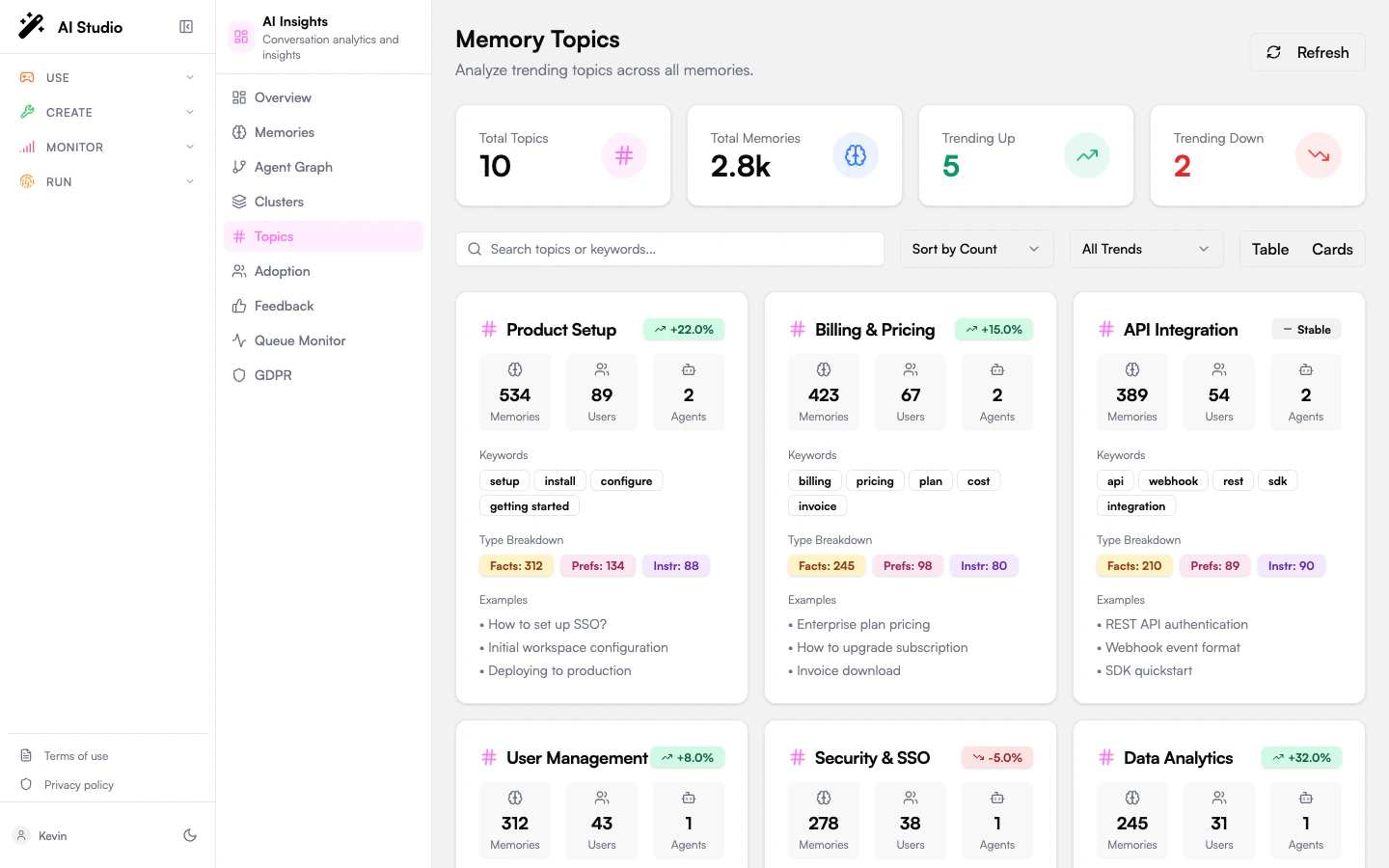
Card view
Click Cards in the view toggle. Each card shows:- The topic name and trend badge.
- Memories / Users / Agents counts.
- The full keyword list.
- A type breakdown mini-bar (Facts / Preferences / Instructions) showing what kinds of memory dominate the topic.
- Up to three example memory snippets.
How topics are derived
The Topics rollup is built from the same memory store the Memories page reads from. Each topic is a cluster of related memories the analytics pipeline found cohesive enough to treat as a single subject. Keywords are pulled from the underlying memory texts.What to do with this page
- Spot priorities for documentation. A trending-up topic with high user count is a candidate for a knowledge base article or an explicit agent instruction.
- Detect drift. A trending-down topic that used to be popular often signals the agent stopped handling it well, or that users moved to a different agent for it.
- Find taxonomy gaps. If a key business topic isn’t in the list, your agents may not be retaining the right kind of memory; check the type distribution on Memories.
Where to go next
See raw memory analytics
Volume, type breakdown, and knowledge gaps.
Read adoption signals
Common usage patterns and personalization depth.