

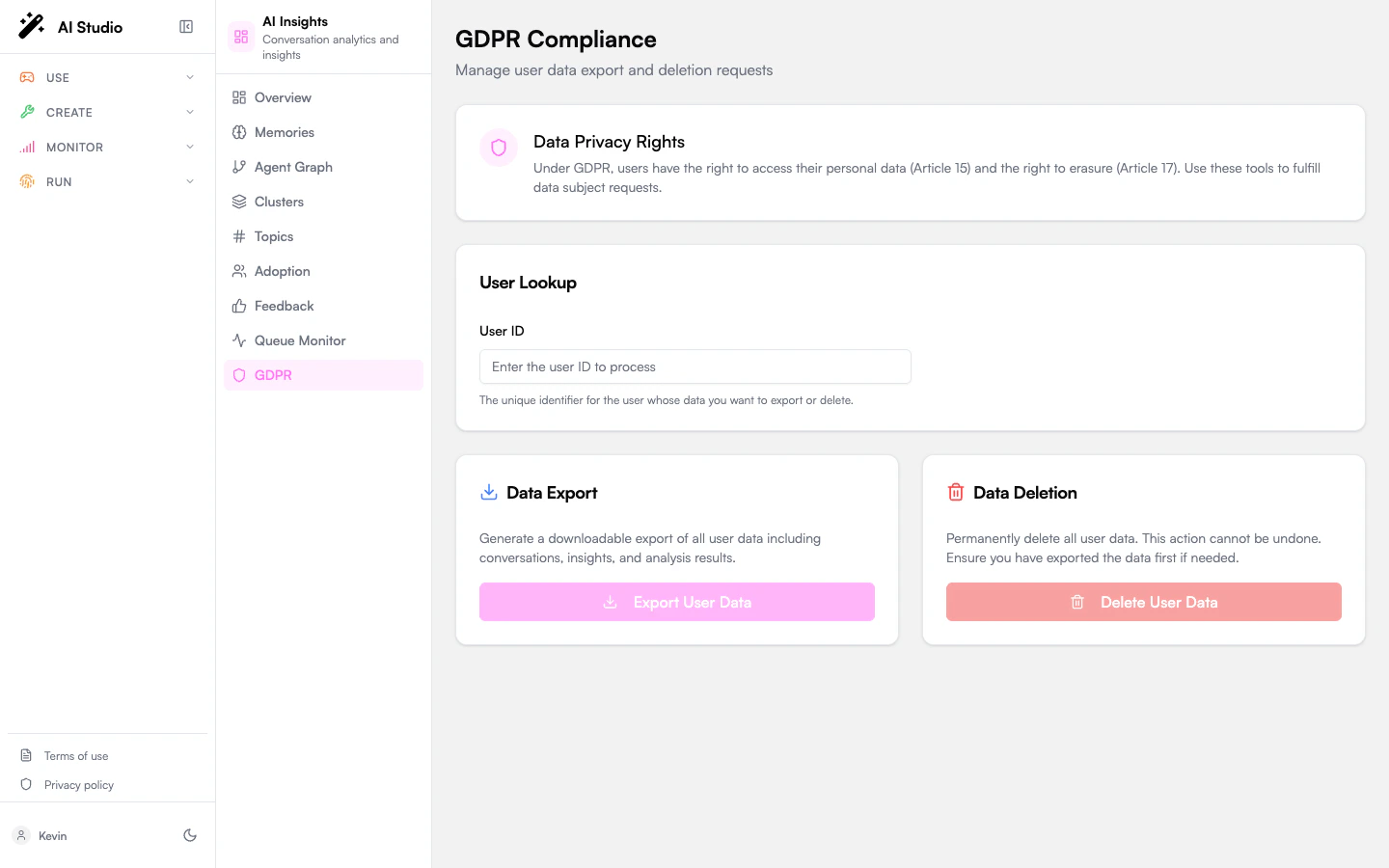
This is a destructive admin tool. Deletion is irreversible and affects every analyzed conversation associated with the user ID across every agent in the org.
What’s on the page
- A Data Privacy Rights info card with links to the GDPR articles that govern these flows.
- A User Lookup input where you paste the unique user ID.
- A Data Export card: generate a downloadable JSON dump of everything Insights knows about that user.
- A Data Deletion card: permanently delete that data.
- A Result card that appears after either action with the data counts and any partial errors.
Export a user’s data (Article 15)
Right of access. Use this when a user asks for a copy of the data you hold on them.1
Find the user's ID
The ID is the platform identifier you’d find in your IDP, in Builder traces (
req.user.id), or in conversation metadata. The page validates it before querying.2
Click Export User Data
The pipeline collects every conversation, insight, agent share, and rating tied to the ID and packages them into a single JSON payload.
3
Review the result card
The result shows the data counts (conversations, agents, ratings, etc.) and any partial errors, for example a single conversation the pipeline couldn’t read.
4
Click Download JSON
Save the file. Send it to the requester via your normal secure delivery channel.
Delete a user’s data (Article 17)
Right to erasure (“right to be forgotten”). Use this when a user asks to have their data permanently removed.1
Find the user's ID
Same identifier you’d use for export.
2
Click Delete User Data
A confirmation dialog opens with the user ID echoed back and a warning message. Read it carefully.
3
Click Delete Permanently
The dialog cancels by default; you have to actively confirm. Once you click, the pipeline runs.
4
Review the result card
The result shows what was actually deleted: conversations anonymized, agents transferred, shares deleted, ratings deleted, and any partial errors.
What “delete” actually does
Data isn’t all dropped in the same way. Insights distinguishes:
The exact mapping is configured in the workspace’s retention and anonymization policy.
Permissions
The export and delete actions are gated by an admin role granted through Governe. Without that role, both buttons are still visible but the requests are rejected at the API layer.What this page doesn’t cover
- Bulk deletion of inactive users. That’s a scheduled retention job, not a manual flow. See the workspace’s
retentionconfiguration. - Per-conversation deletion. Today the unit of operation is the user. To remove a single conversation, delete it from the originating product (Chat, Builder traces, etc.); Insights will mirror that on the next aggregation cycle.
- Cross-product GDPR. This page only covers the Insights data set. To honor a full GDPR request you’ll also need to action Builder, Knowledges, and Chat in their respective admin tools.