

The period shown
The header carries the same date filter as the organization dashboard, presets of 7, 30 or 90 days or a custom range, and the selection follows you from the dashboard to this page and on to Conversations. Here the window applies toanalyzed_at, when the analysis ran, not to when the conversation was last active.
Summary cards
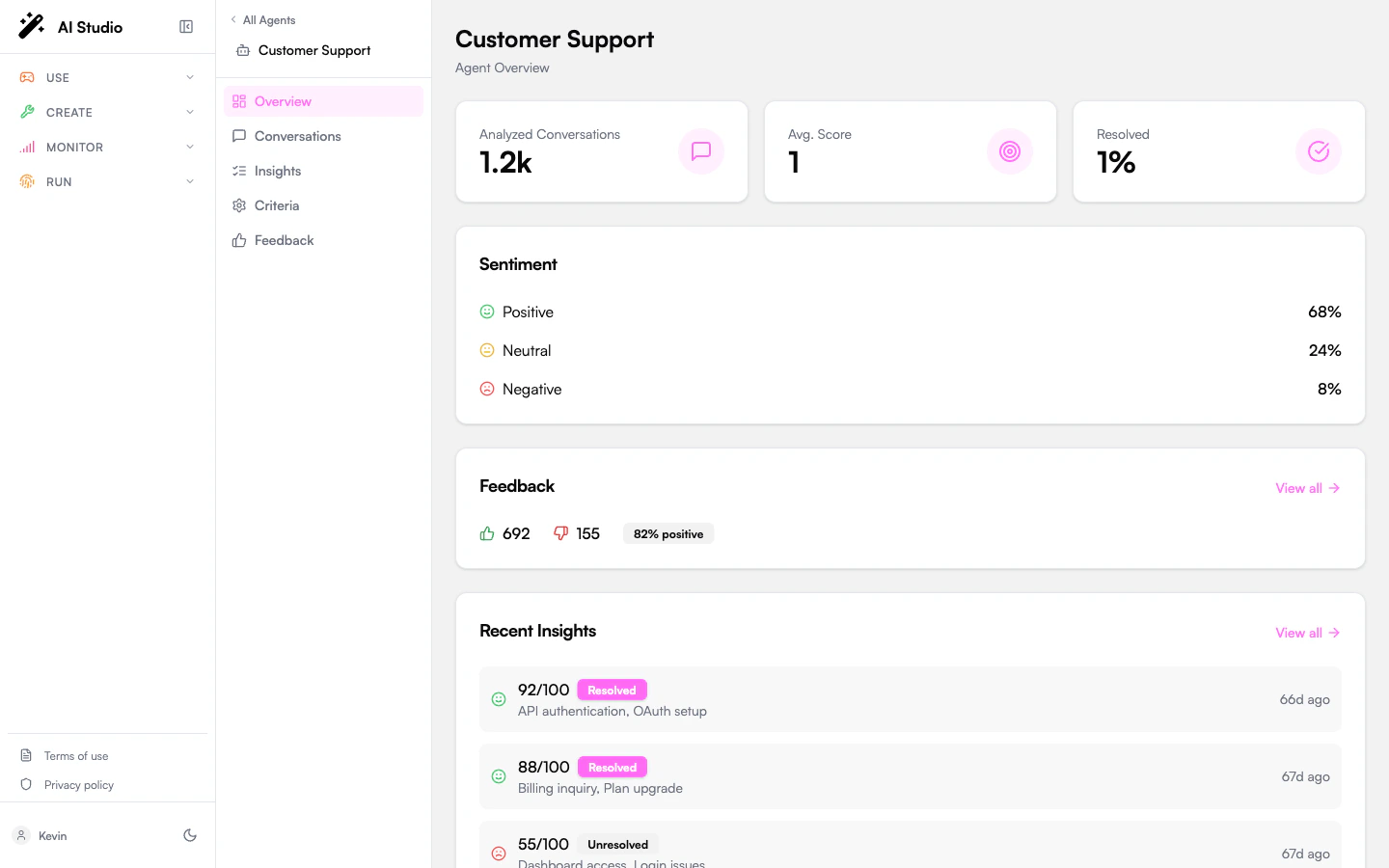
Three KPI cards summarize the agent’s analyzed conversations:Sentiment
A three-row breakdown of overall conversation sentiment: Positive, Neutral, Negative, expressed as percentages. Sentiment is determined per conversation by the analysis pass; see Insights for the per-conversation detail.Feedback summary
If users have submitted feedback (thumbs up / down) on this agent’s conversations, a summary card appears with Likes, Dislikes, and Like Rate. Click View all to open the agent-scoped Feedback page. The card is hidden when the agent has no feedback yet.Recent Insights
The most recent analyzed conversations for this agent. Each row shows:- The evaluation score (0-100), color-coded (≥80 green, ≥60 yellow, <60 red).
- A Resolved or Unresolved badge.
- The topics extracted from the conversation.
- A relative timestamp (“2h ago”).
When this view is empty
If the agent has no analyzed conversations:- The summary cards show zeros and the Recent Insights list is empty.
- Open Conversations to trigger analysis on existing conversations, or wait for the batch pass to pick them up automatically once they go inactive.
Where to go next
Browse and analyze conversations
Review every conversation, filter by status, and trigger analysis.
Define evaluation criteria
Customize how this agent’s conversations are scored.
Read full insights
Per-conversation detail with summary, key moments, and token usage.
Read user feedback
Likes, dislikes, and dislike categories for this agent.