> ## Documentation Index
> Fetch the complete documentation index at: https://docs.prisme.ai/llms.txt
> Use this file to discover all available pages before exploring further.

# Prisme.ai Products Overview

> Discover the complete suite of products that comprise the Prisme.ai platform

Prisme.ai offers a comprehensive suite of products designed to meet the needs of different users throughout your organization. From end-users interacting with AI to developers building complex solutions, our platform provides the right tools for every scenario.

## Product Suite

Prisme.ai's products work seamlessly together while addressing specific needs:

<CardGroup cols="3">
  <Card title="Agent Creator" icon="robot" color="#6B47D9" href="./agent-factory/overview">
    Create, configure, and deploy AI agents without code
  </Card>

  <Card title="Knowledges" icon="book" color="#F97316" href="./ai-knowledge/overview">
    Build searchable document stores for your agents
  </Card>

  <Card title="Chat" icon="message-bot" color="#4D7CFF" href="./ai-securechat/overview">
    Secure, enterprise-grade chat interface for AI
  </Card>

  <Card title="Builder" icon="screwdriver-wrench" color="#3B82F6" href="./ai-builder/overview">
    Build custom AI applications and workflows
  </Card>

  <Card title="Governe" icon="shield-check" color="#6366F1" href="./ai-governance/overview">
    Manage access, security, and compliance
  </Card>

  <Card title="Insights" icon="chart-mixed" color="#EC4899" href="./ai-insights/overview">
    Measure performance and impact of AI solutions
  </Card>
</CardGroup>

## Products by User Role

Prisme.ai caters to different user roles within your organization:

<Tabs>
  <Tab title="End Users">
    End users primarily interact with:

    * **Chat** for daily AI assistance
    * **Agent Creator** to discover and use specialized agents

    These products require no technical expertise and provide immediate value through intuitive interfaces.
  </Tab>

  <Tab title="Business Users">
    Business users who need to create specialized solutions use:

    * **Agent Creator** to build and configure AI agents
    * **Knowledges** to create document stores for agents
    * **Builder** to connect structured data and custom workflows
    * **Insights** to measure impact and performance

    These products offer no-code interfaces that enable business users to create powerful AI solutions without technical expertise.
  </Tab>

  <Tab title="Developers">
    Technical users who build advanced solutions leverage:

    * **Builder** for custom application development
    * **API integrations** across all products
    * **DSUL** for declarative configuration

    These tools provide the flexibility and power needed for complex, integrated AI applications.
  </Tab>

  <Tab title="IT & Administrators">
    IT teams and administrators rely on:

    * **Governe** for security and compliance
    * **Deployment options** for infrastructure management
    * **User management** across all products

    These capabilities ensure enterprise-grade security, scalability, and control.
  </Tab>
</Tabs>

## Product Integration

While each Prisme.ai product serves a specific purpose, they are designed to work together seamlessly. Here's how they integrate:

### Common Integration Patterns

1. **Knowledge-Powered Agents**
   * Create document stores in Knowledges
   * Build and configure agents in Agent Creator
   * Connect knowledge bases to agents as capabilities
   * Access through Chat
2. **Data-Driven Solutions**
   * Connect to structured data through Builder imports and workflows
   * Build custom interfaces with Builder pages
   * Track performance with Insights
3. **Enterprise Deployment**
   * Manage access with Governe
   * Create and share agents through Agent Creator
   * Monitor usage with Insights

### Step-by-Step: Building a Knowledge-Powered Agent

This walkthrough shows how Knowledges, Agent Creator, and Chat work together:

<Steps>
  <Step title="Create a knowledge base (Knowledges)">
    1. Go to **Create > Knowledges**
    2. Click **Create Knowledge Base**
    3. Upload your documents or connect a data source
    4. Wait for documents to be processed and indexed
  </Step>

  <Step title="Create an agent (Agent Creator)">
    1. Go to **Create > Agent Creator**
    2. Click **Create Agent**
    3. Choose a profile (Light Agent works well for RAG)
    4. Write instructions explaining the agent's purpose
  </Step>

  <Step title="Connect knowledge to agent (Agent Creator)">
    1. Open your agent's **Capabilities** section
    2. Click **Add Capability**
    3. Select your knowledge base from the list
    4. Save the capability
  </Step>

  <Step title="Test and refine (Agent Creator)">
    1. Open the **Playground**
    2. Ask questions that should use the knowledge base
    3. Verify the agent retrieves relevant information
    4. Adjust instructions if needed
  </Step>

  <Step title="Share and use (Chat)">
    1. Publish the agent in **Settings > Sharing**
    2. Users find it in the **Store**
    3. They start conversations from **Chat**
  </Step>
</Steps>

### The Three-Product Flow

```
Knowledges          Agent Creator         Chat
     │                      │                     │
     │  Documents &         │  Agent config       │  End users
     │  embeddings          │  & capabilities     │  chat here
     │                      │                     │
     └──────────────────────┴─────────────────────┘
              Knowledge powers agent responses
```

* **Knowledges** stores and indexes your documents
* **Agent Creator** configures how the agent uses that knowledge
* **Chat** is where users interact with the finished agent

## Getting Started with Prisme.ai Products

<Steps>
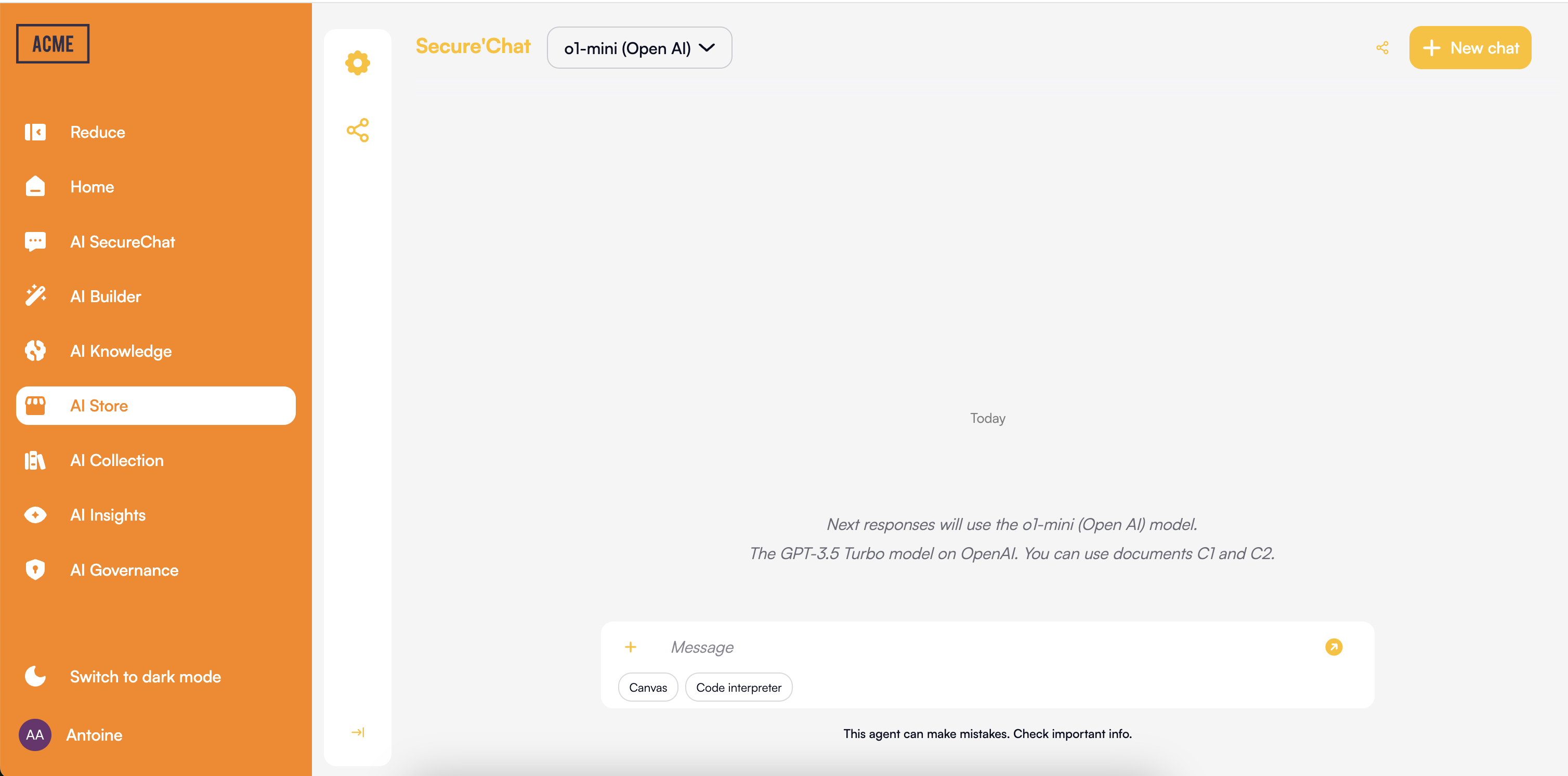
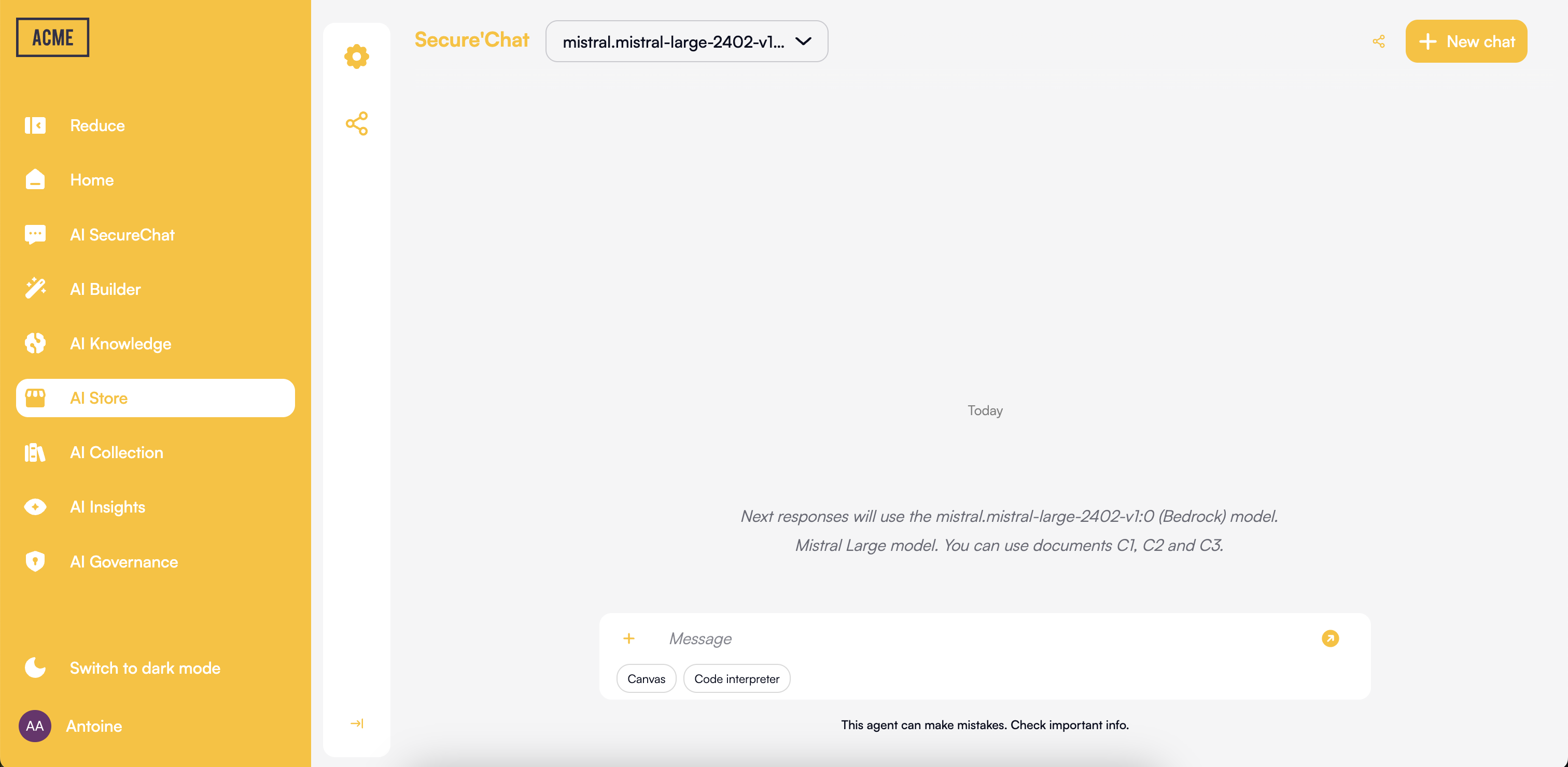
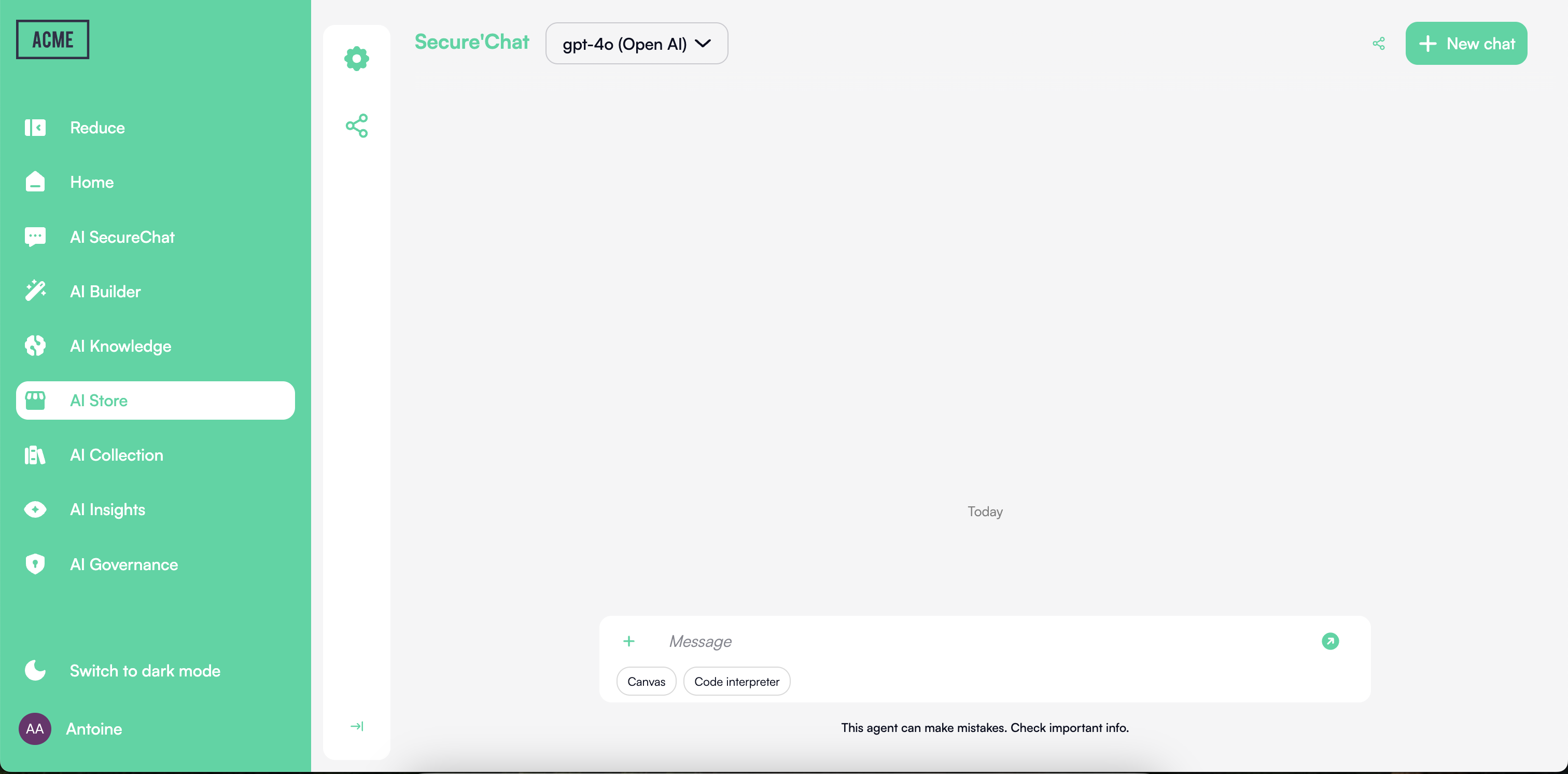
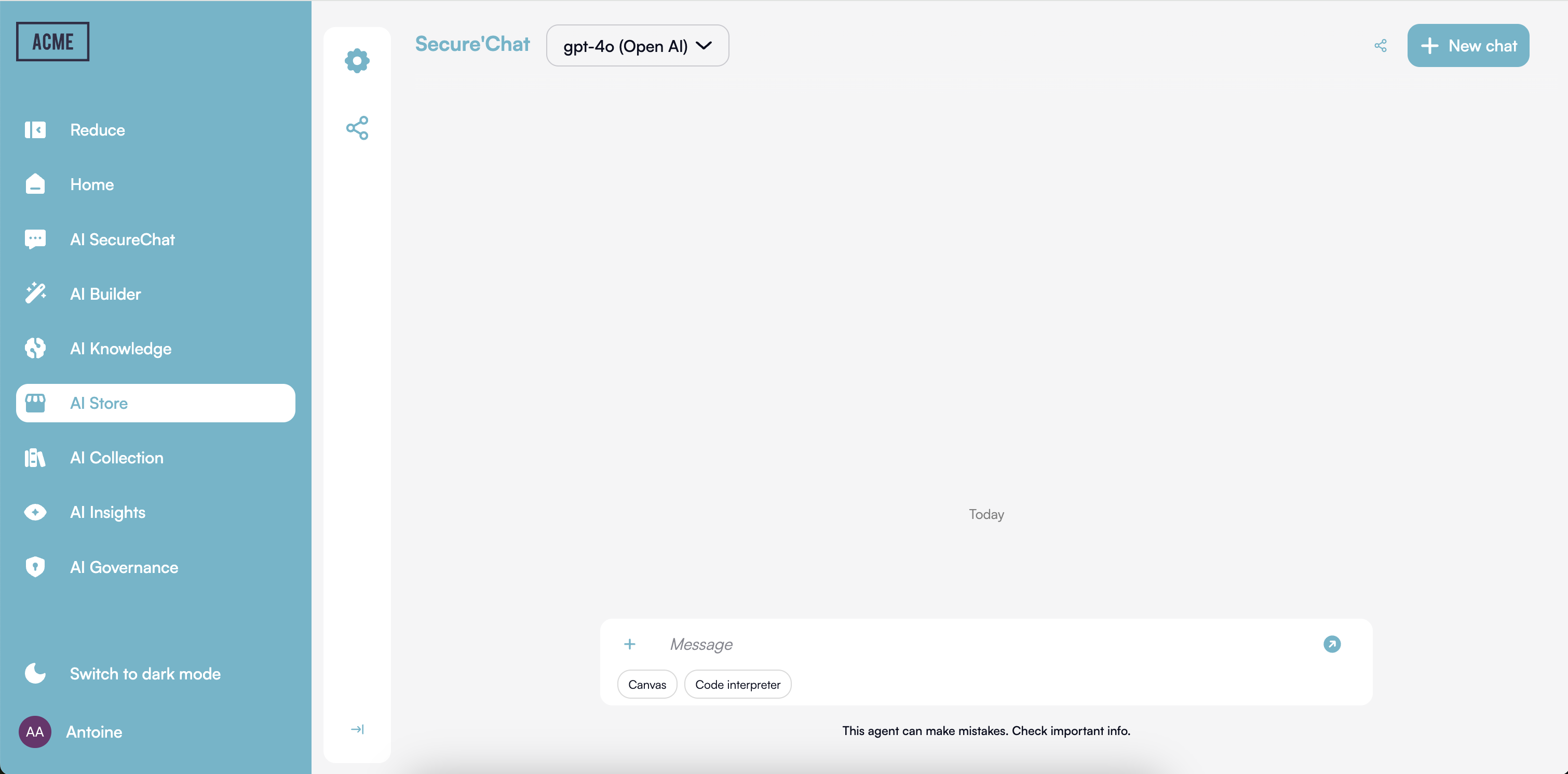
  <Step title="Customize the Look & Feel in 2 Minutes">
    Want to align the platform’s appearance with your brand? With Prisme.ai, it only takes two minutes to update the logo, primary color scheme, and interface styles—directly from the **Governe** product, with no technical skills required.
    Here’s what you can easily customize:

    <Frame>
      <img src="https://mintcdn.com/prismeai/D3955Cxjj8AxO2M1/images/custom-platform-orange.png?fit=max&auto=format&n=D3955Cxjj8AxO2M1&q=85&s=f959cf8765f5932b671fa7871e79b9d0" alt="Custom Platform Orange Pn" width="3016" height="1492" data-path="images/custom-platform-orange.png" />

      <img src="https://mintcdn.com/prismeai/D3955Cxjj8AxO2M1/images/custom-platform-yellow.png?fit=max&auto=format&n=D3955Cxjj8AxO2M1&q=85&s=e9f0911e57b24edcd648449c52cf02c5" alt="Custom Platform Yellow Pn" width="3024" height="1480" data-path="images/custom-platform-yellow.png" />

      <img src="https://mintcdn.com/prismeai/D3955Cxjj8AxO2M1/images/custom-platform-green.png?fit=max&auto=format&n=D3955Cxjj8AxO2M1&q=85&s=6c8810be17ea13c69be7680f944217ad" alt="Custom Platform Green Pn" width="3024" height="1492" data-path="images/custom-platform-green.png" />

      <img src="https://mintcdn.com/prismeai/D3955Cxjj8AxO2M1/images/custom-platform-blue.png?fit=max&auto=format&n=D3955Cxjj8AxO2M1&q=85&s=aea882078b2026faacbfa634178ce5a9" alt="Custom Platform Blue Pn" width="3020" height="1490" data-path="images/custom-platform-blue.png" />
    </Frame>

    These options allow you to deliver a cohesive, professional, and personalized user experience—without writing a single line of code.
  </Step>

  <Step title="Begin with Chat">
    Start by experiencing Prisme.ai through the Chat interface. This will give you a hands-on understanding of the platform's capabilities.

    [Explore Chat →](./ai-securechat/overview)
  </Step>

  <Step title="Discover or create agents">
    Open Agent Creator to browse existing agents or create your own. Find agents shared by colleagues or build one tailored to your needs.

    [Open Agent Creator →](./agent-factory/overview)
  </Step>

  <Step title="Add knowledge to your agents">
    Use Knowledges to create document stores, then connect them to your agents. This enables agents to answer questions grounded in your organization's content.

    [Learn about Knowledges →](./ai-knowledge/overview)
  </Step>

  <Step title="Expand to advanced use cases">
    As you become more familiar with the platform, explore Builder for structured data workflows, custom solutions, and governance tools to manage your AI ecosystem.

    [Discover advanced products →](./ai-builder/overview)
  </Step>
</Steps>

## Product Comparison

<table>
  <thead>
    <tr>
      <th>Product</th>
      <th>Primary Users</th>
      <th>Key Capabilities</th>
      <th>Technical Expertise Required</th>
    </tr>
  </thead>

  <tbody>
    <tr>
      <td>Chat</td>
      <td>All employees</td>
      <td>Conversational AI, document processing, Canvas collaboration</td>
      <td>None</td>
    </tr>

    <tr>
      <td>Agent Creator</td>
      <td>All employees, Business users</td>
      <td>Agent creation, configuration, discovery, testing, sharing</td>
      <td>None-Low</td>
    </tr>

    <tr>
      <td>Knowledges</td>
      <td>Business users</td>
      <td>Document stores, RAG, connectors</td>
      <td>Low</td>
    </tr>

    <tr>
      <td>Builder</td>
      <td>Developers, Technical users, Analysts</td>
      <td>Custom applications, integrations, structured data workflows, workflow automation</td>
      <td>Medium-High</td>
    </tr>

    <tr>
      <td>Governe</td>
      <td>IT Administrators, Compliance officers</td>
      <td>Access control, monitoring, compliance management</td>
      <td>Medium</td>
    </tr>

    <tr>
      <td>Insights</td>
      <td>Business users, Analysts</td>
      <td>Usage metrics, performance analysis, ROI tracking</td>
      <td>Low</td>
    </tr>
  </tbody>
</table>

## Next Steps

Explore each product in detail to understand its capabilities and how it can address your specific needs:

<CardGroup cols="2">
  <Card title="Agent Creator" icon="robot" href="./agent-factory/overview">
    Create and manage AI agents without code
  </Card>

  <Card title="Knowledges" icon="book" href="./ai-knowledge/overview">
    Build document stores for your agents
  </Card>

  <Card title="Chat" icon="message-bot" href="./ai-securechat/overview">
    Secure conversational interface for all users
  </Card>

  <Card title="Builder" icon="screwdriver-wrench" href="./ai-builder/overview">
    Custom AI application development
  </Card>

  <Card title="Governe" icon="shield-check" href="./ai-governance/overview">
    Security, compliance, and access management
  </Card>

  <Card title="Insights" icon="chart-mixed" href="./ai-insights/overview">
    Performance measurement and analytics
  </Card>
</CardGroup>