> ## Documentation Index
> Fetch the complete documentation index at: https://docs.prisme.ai/llms.txt
> Use this file to discover all available pages before exploring further.
# Automations
> Create powerful backend processes and workflows to orchestrate your AI applications
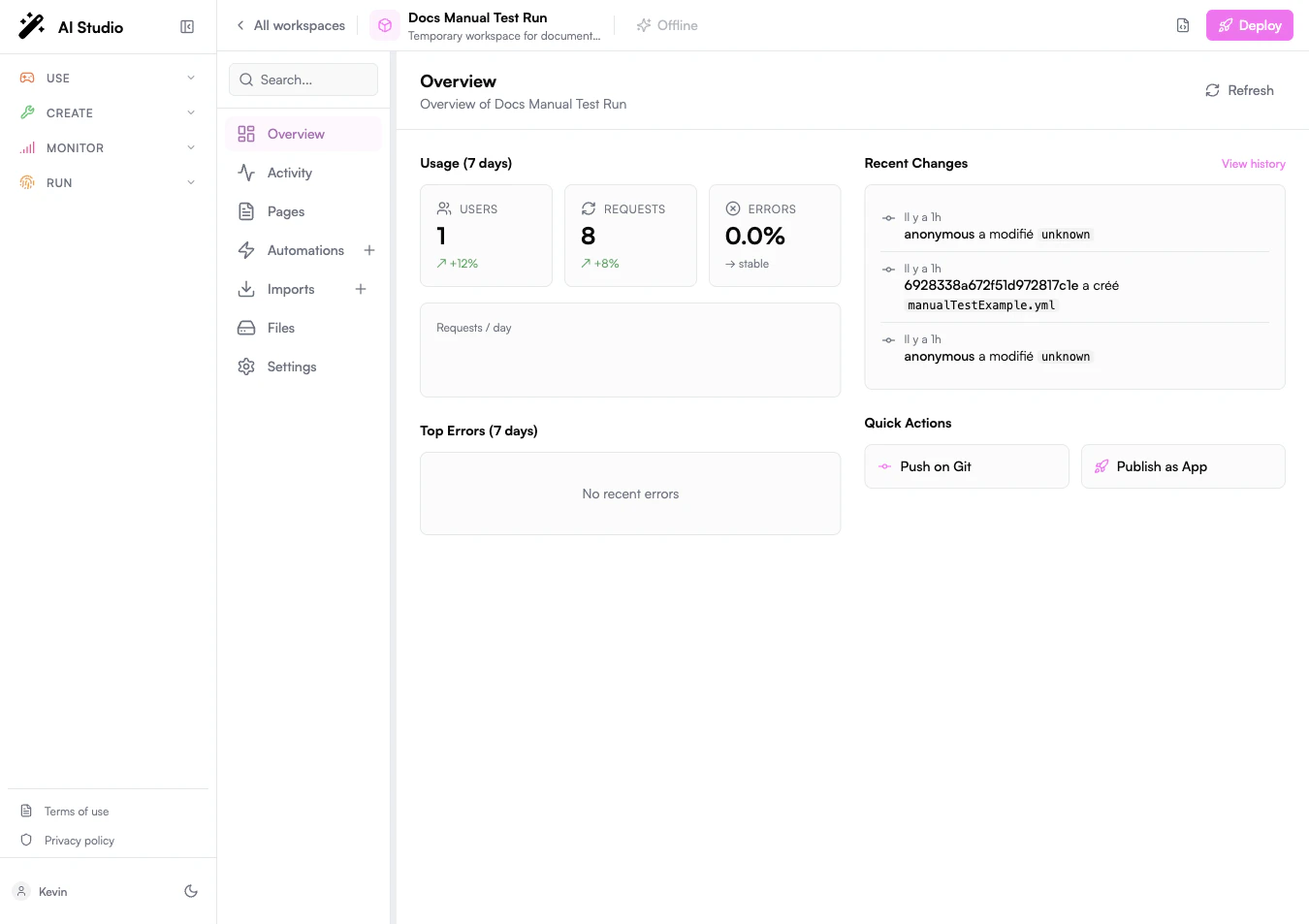 Automations are the core server-side processes that power your Builder applications. They define **what to do** and **when to do it**, allowing you to create sophisticated workflows, integrate with external systems, and build intelligent applications.
## Understanding Automations
In simple words, **automations** describe **what to do** and **when**:
* **What to do**: A sequence of **instructions** that process data and perform actions
* **When to do it**: **Triggers** that activate the automation when specific conditions are met
**Example:**
A *HubspotDealsOnSlack* automation might send a notification message on Slack every time a new Hubspot deal is created:
* The **what** would be a **fetch** instruction calling Slack API to send a message
* The **when** would be a **URL** (webhook) trigger that Hubspot calls whenever a new deal is opened
Automations function within an event-driven architecture:
* **Triggers**: Define when the automation runs (events, endpoints, schedules)
* **Instructions**: Sequential steps that perform specific tasks
* **Variables**: Store and manage data during automation execution
* **Memory Scopes**: Different persistence layers for data (run, session, user, global)
* **Output**: Final result returned to the caller or next automation
This architecture enables complex workflows while maintaining flexibility and scalability.
## Automation YAML Syntax
Every automation is a YAML file. The visual editor reads and writes that same file, so understanding the syntax is what unlocks the rest of the platform.
### File anatomy
A minimal automation:
```yaml theme={null}
slug: hello
name: Hello World
when:
endpoint: true
do:
- set:
name: greeting
value: "Hello, {{body.name}}"
output: "{{greeting}}"
```
| Top-level key | Purpose |
| ------------------- | ------------------------------------------------------------------------------------------------------------------------- |
| `slug` | URL-safe identifier. Must be unique inside the workspace. Used in API paths and event sources. |
| `name` | Human-readable label shown in the sidebar. |
| `description` | Optional free text shown in the workspace overview and app store. |
| `arguments` | Schema for the inputs the automation expects when called directly (see [Arguments](#arguments)). |
| `when` | Trigger configuration: `endpoint`, `events`, `schedules` (see [Triggers](#triggers)). |
| `do` | Ordered list of instructions to execute. |
| `output` | Expression returned to the caller after `do` completes. |
| `validateArguments` | When `true`, the runtime rejects calls whose inputs do not match the `arguments` schema. |
| `private` | When `true`, the automation cannot be called from outside the workspace (only via `runWorkflow` from another automation). |
| `disabled` | When `true`, the automation is registered but never executes. |
| `labels` | Free-form tags used for organization. |
### Indentation and structure rules
YAML structure is significant. Three rules cover 95 % of the mistakes the editor will surface.
1. **Indentation is spaces, not tabs.** Two spaces per level is the convention used everywhere in this documentation. Mixing tabs and spaces fails parsing.
2. **A list item starts with `- ` at the parent's indentation level.** The contents of the item are indented one more level.
3. **A key always ends with `:` and a single space before its value** (except when the value is on the next line).
```yaml theme={null}
do: # 0 spaces — top-level key
- set: # 2 spaces — list item, starts with "- "
name: counter # 6 spaces — value of "set" (4 for the list item's indent + 2 more for the nested map)
value: 0
- emit:
event: started
```
If a value contains characters YAML would otherwise interpret (`:`, `#`, `{`, `[`, `&`, `*`, `!`, `|`, `>`, `'`, `"`, `%`, `@`, ` `` ` \`), wrap it in single or double quotes.
```yaml theme={null}
- set:
name: message
value: "Status: ready" # the colon forces quoting
- set:
name: pattern
value: '^[A-Z]:.*' # backslashes survive better in single quotes
```
### Naming and casing conventions
| Element | Convention | Examples |
| ------------------------------- | ---------------------------------- | ------------------------------------------------- |
| `slug` | kebab-case or camelCase, no spaces | `send-welcome`, `sendWelcome` |
| `name` | free text | `Send welcome email` |
| Variable names (`set: name: …`) | camelCase | `userEmail`, `nextStep` |
| Event names (`emit: event: …`) | dot-separated, lowercase | `app.greeting.requested` |
| Module names in `run` | lowercase | `secrets`, `collections`, `accessManager`, `text` |
The platform does not enforce most of these, but the visual editor, the Activity view, and the SDK all assume them — sticking to the conventions keeps tooling consistent.
### Interpreted keywords
Inside `do:` and other instruction lists, these keys are interpreted by the runtime. Any other key is treated as an app or workspace automation call (see [Visual Editor and YAML Mapping](#visual-editor-and-yaml-mapping)).
| Keyword | Effect |
| ------------------------------------------------------- | --------------------------------------------------------------------------------------------------------------------- |
| `set` | Assign a variable. |
| `delete` | Remove a variable. |
| `emit` | Publish an event. |
| `fetch` | Make an HTTP request. |
| `wait` | Pause until an event arrives or a timeout elapses. |
| `conditions` | Branch on expressions. The keys of the map are the conditions themselves; `default` runs if none match. |
| `repeat` | Loop over a collection (`on:`) or a fixed count (`until:`). |
| `break` | Exit the current loop or the whole automation. |
| `all` | Execute child branches in parallel. |
| `try` / `catch` | Catch errors raised by child instructions. |
| `run` | Call a built-in runtime module function. |
| `runWorkflow` | Call another automation in the workspace. |
| `comment` | Free-form annotation, ignored at runtime. |
| `rateLimit`, `auth`, `createUserTopic`, `joinUserTopic` | Specialized runtime instructions; see the table in [Visual Editor and YAML Mapping](#visual-editor-and-yaml-mapping). |
### Expressions: `{{ … }}` and `{% … %}`
Anywhere a value is expected, you can interpolate an expression.
* `{{ … }}` evaluates and substitutes a single expression. The whole value is replaced by the result.
* `{% … %}` evaluates an arithmetic or logical sub-expression while keeping the rest of the string.
```yaml theme={null}
- set:
name: greeting
value: "Hello, {{body.name}}" # → "Hello, Alice"
- set:
name: nextIndex
value: "{% {{$index}} + 1 %}" # → "3" when $index is 2
- conditions:
"{{user.age}} >= 18":
- set: { name: status, value: adult }
default:
- set: { name: status, value: minor }
```
The full expression and condition grammar is documented in [Condition and Expression syntax](#condition-and-expression-syntax) — it covers comparison and logical operators, regular expressions, MongoDB-style matches, deep-merge, and the built-in helpers for dates, math, strings, and URL parsing.
### Variable scopes
Variables live in different scopes with different lifetimes. Each scope is exposed as a top-level object in expressions.
| Scope | Prefix in expressions | Lifetime | Use it for |
| ------------------ | ----------------------------------------------------------------------------------- | ----------------------- | --------------------------------------------------------------- |
| Run / temporary | none (`{{myVar}}`) | One automation run | Local working values inside `do`. |
| Session | `{{session.x}}` | One user session | State shared across runs of the same user session. |
| User | `{{user.x}}` | One user | Per-user persistent state. |
| Global / workspace | `{{global.x}}` | Workspace, all users | Shared counters, caches, feature flags. |
| Config | `{{config.x}}` | Workspace static config | Non-sensitive parameters defined in the workspace `index.yml`. |
| Secret | `{{secret.x}}` | Workspace, encrypted | Sensitive values from Settings → Secrets. |
| Trigger input | `{{body}}`, `{{headers}}`, `{{query}}`, `{{pathParams}}`, `{{method}}`, `{{event}}` | One run | Inputs from the request or event that triggered the automation. |
See [Memory Architecture](#memory-architecture) for the full picture, including persistence guarantees.
### What the YAML editor reports
The Builder's Monaco editor validates the YAML as you type, using the same schema the runtime applies on save.
* **Indentation / parsing errors** are flagged on the offending line. Fix them before save — the editor blocks the save button.
* **Schema errors** (unknown keyword, wrong type for a field) are surfaced with the path of the offending field.
* **Lint warnings** (e.g. an unused variable, a duplicate slug) appear inline but do not block saving.
When in doubt, switch to the visual graph: nodes that the editor cannot render correspond to YAML the runtime would reject.
## Triggers
Automations can be activated through different types of triggers, configured at the top of the automation graph:
When an automation activates its **URL** trigger, it becomes publicly available through a URL which you can copy from your Workspace graph or source code. You can then use this URL in external services that support webhooks.
From inside the automation, 5 variables give access to input HTTP requests:
* **body**: Request body
* **headers**: Request headers
* **method**: HTTP method (GET, POST, etc.)
* **query**: URL query parameters
* **pathParams**: Extracted path parameter values (when using path parameters like `:id`)
For multipart/form-data requests, uploaded files will be detailed within a `body.` object variable.\
Example :
```json theme={null}
{
"originalname": "filename.pdf",
"encoding": "7bit",
"mimetype": "application/pdf",
"size": 375966,
"base64": ""
}
```
By default, these HTTP requests will receive the automation output as a response body. However, an **\$http** variable available inside the automation gives full control over the response:
```yaml theme={null}
- set:
name: $http
value:
headers:
content-type: application/json
status: 200
```
You can also use this variable to implement [Server-Sent Events (SSE)](https://developer.mozilla.org/en-US/docs/Web/API/Server-sent_events/Using_server-sent_events) for streaming responses:
```yaml theme={null}
- set:
name: $http
value:
chunk: # Data object that will be sent as an SSE event
partial: "First part of response"
- set:
name: $http
value:
chunk: # Another chunk
partial: "Second part of response"
```
* **\$http** is only available in the URL-triggered automation (not in children calls)
* Headers cannot be set after the first chunk is sent
* When using SSE events, the automation output will also be sent as the last event
* SSE automatically sets appropriate headers (Content-Type, Cache-Control, Connection)
For long-running SSE endpoints, you can configure a keep-alive to avoid timeouts:
```yaml theme={null}
- set:
name: $http
value:
sseKeepAlive: 5000 # Keep-alive interval in milliseconds (minimum 5000ms)
```
After this instruction, a `data: {"keepAlive": true}` chunk will be regularly emitted until the connection ends.
### Path Parameters
Webhook endpoints support path parameters for building RESTful APIs. Path parameters allow you to define dynamic URL segments that extract values from incoming requests.
**Basic Usage:**
```yaml get-user theme={null}
when:
endpoint: "v1/users/:id"
do:
- set:
name: output
value:
userId: "{{pathParams.id}}"
```
When a request is made to `/webhooks/{workspaceSlug}/v1/users/123`, the automation receives:
* `pathParams.id` = `"123"`
**Multiple Parameters:**
```yaml get-user-post theme={null}
when:
endpoint: "v1/users/:userId/posts/:postId"
do:
- set:
name: output
value:
user: "{{pathParams.userId}}"
post: "{{pathParams.postId}}"
```
Request to `/webhooks/{workspaceSlug}/v1/users/alice/posts/456` results in:
* `pathParams.userId` = `"alice"`
* `pathParams.postId` = `"456"`
**Combined with Query and Body:**
```yaml update-user theme={null}
when:
endpoint: "v1/users/:id"
do:
- fetch:
url: "{{config.apiUrl}}/users/{{pathParams.id}}"
method: "{{method}}"
body:
name: "{{body.name}}"
filter: "{{query.filter}}"
```
**Multi-segment Parameters (wildcards):**
Use `*paramName` instead of `:paramName` when the value can contain slashes — for instance, model identifiers like `openai/text-embedding-3-large` or hierarchical paths.
```yaml get-model theme={null}
when:
endpoint: "v1/models/*model_id"
do:
- set:
name: output
value:
modelId: "{{pathParams.model_id}}"
```
Request to `/webhooks/{workspaceSlug}/v1/models/openai/text-embedding-3-large` yields:
* `pathParams.model_id` = `"openai/text-embedding-3-large"`
A request to `/webhooks/{workspaceSlug}/v1/models/gpt-4o` (no slash) matches the same endpoint with `pathParams.model_id` = `"gpt-4o"`.
**Path Parameter Behavior:**
* Single-segment parameters use `:paramName` syntax (e.g., `:id`, `:userId`) — they match one URL segment and reject values containing `/`
* Multi-segment parameters use `*paramName` syntax — they match one or more segments and let you capture values containing `/`
* All defined parameters are required - requests missing parameters will not match
* Parameter values are automatically URL-decoded
* Exact match endpoints take priority over pattern endpoints
* When multiple patterns could match, the first defined pattern wins
* Patterns like `message:stream` (colon without preceding slash) are treated as exact matches, not patterns
**Path parameters must be defined in the `endpoint` field, not in the automation slug.**
The automation slug (e.g., `get-user`) only supports letters, numbers, spaces, underscores, and hyphens. To use path parameters, you must explicitly set the `endpoint` field to your desired path pattern:
```yaml theme={null}
slug: get-user # Slug without path parameters
when:
endpoint: "v1/users/:id" # Path parameters defined here
```
Using `endpoint: true` will expose the automation at the slug path, but the slug itself cannot contain `:` characters.
An automation can listen to a list of events. Whenever such events are received, the automation is executed and can access:
* **payload**: Event payload data
* **source**: Event source information (source IP, correlationId, userId, automation, etc.)
These events can be:
* **Native events**: Generated automatically by the platform
* **Custom events**: Emitted from automations in the same workspace
* **App events**: Emitted from installed Apps
Example configuration:
```yaml theme={null}
when:
events:
- user-login
- document-uploaded
```
Workspaces can only listen to a specific subset of native events. See the [Supported Native Events](#supported-native-events) section for details.
An automation can be regularly triggered based on cron expressions:
```yaml theme={null}
when:
schedules:
- '0 9 * * 1-5' # Run at 9:00 AM on weekdays
```
* Automations can be scheduled at most every 15 minutes
* Schedules use UTC timezone
* When scheduled, the automation runs "on the hour" (e.g., a 20-minute schedule starting at 3:14 will run at 3:20, 3:40, etc.)
* When successfully scheduled, a `runtime.automations.scheduled` event is emitted
A helpful tool for creating cron expressions is [crontab.guru](https://crontab.guru/).
## Memory Architecture
Automations can use and modify data across different memory scopes:
Available only during current execution
Access pattern: `{{run.variable}}`
Run variables include execution context like:
* `run.date`: Current timestamp
* `run.ip`: Client IP address
* `run.automationSlug`: Current automation identifier
* `run.correlationId`: Unique ID for tracing related events
* `run.depth`: Current automation depth in the stacktrace
* `run.trigger.type`: Trigger type (event, endpoint, automation)
* `run.trigger.value`: Trigger value (event name, endpoint path, etc.)
* `run.socketId`: Current socket ID if connected by websocket
* `run.appSlug`: Current app slug if running from an appInstance
* `run.appInstanceSlug`: Current appInstance slug if applicable
* `run.parentAppSlug`: Parent app slug if parent is also an appInstance
The run context is automatically removed 60 seconds after the last automation run.
Persistent for the authenticated user
Access pattern: `{{user.variable}}`
User variables include:
* `user.id`: Unique user identifier
* `user.email`: User's email address
* `user.authData`: Authentication information
* `user.role`: User's role in the workspace
* Custom user-specific data that persists across sessions
Available for the current user session
Access pattern: `{{session.variable}}`
Session variables include:
* `session.id`: Current session ID
* Custom session data
Session variables store temporary user data:
* Form inputs across multiple steps
* Wizard progress state
* Temporary preferences
For authenticated users, session expiration is defined by the Gateway API (default 1 month).
For unauthenticated endpoint calls, sessions expire after 1 hour of inactivity.
Shared across all users and executions
Access pattern: `{{global.variable}}`
Global variables include:
* `global.workspaceId`: Current workspace ID
* `global.workspaceName`: Current workspace name
* `global.apiUrl`: Current API instance public URL
* `global.studioUrl`: Current studio instance public URL
* `global.pagesUrl`: Current workspace pages public URL
* `global.pagesHost`: Current pages instance base domain
* `global.endpoints`: Map of available endpoint slugs to URLs
* `global.workspacesRegistry`: Map of public workspaces
* Custom workspace-wide variables
Available for the current websocket connection
Access pattern: `{{socket.variable}}`
Socket scope provides a temporary state local to a websocket connection, useful for separating state between multiple browser tabs. This context automatically expires after 6 hours without any updates.
Workspace and app configuration
Access pattern: `{{config.variable}}`
Contains the workspace configuration defined in the workspace settings.
Read-only workspace information
Access pattern: `{{$workspace.variable}}`
This read-only context holds the current workspace definition, allowing access to any of its sections (e.g., installed apps config via `$workspace.imports.myApp.config`).
Except for \$workspace, all these contexts can be written to using the `set` instruction. Written data will be persisted and available in subsequent requests. However, when setting variables inside session/user contexts from an unauthenticated webhook, they will not be persisted.
## Working with Variables
Inside your automation instructions, dynamic data can be injected by surrounding a variable name with double braces: `{{some.variable.name}}`.
Variables can be created and modified using the [set instruction](#set-instruction) and removed using the [delete instruction](#delete-instruction).
For objects or arrays, you can access specific properties:
```yaml theme={null}
# Basic property access
{{user.profile.name}}
# Dynamic property access using another variable
{{session.myObjectVariable[{{item.field}}]}}
```
If `session.myObjectVariable` equals `{"mickey": "house"}` and `item.field` equals `mickey`, the entire expression resolves to `house`.
## Visual Editor and YAML Mapping
Every automation has two equivalent representations:
* **YAML** — the source of truth, stored in the workspace and synchronized with Git.
* **Visual graph** — a node-based editor that reads and writes the same YAML.
The visual editor never adds extra semantics: each node maps 1-to-1 to a DSUL instruction (or a trigger field). Switching between the two modes does not change the saved file.
### Trigger nodes (Start)
The single **Start** node represents the automation's `when` block. Its visual sub-labels reflect which trigger fields are populated.
| Visual node | Sub-label | DSUL field | Notes |
| ---------------- | ---------------------------- | ----------------------------------------------- | ------------------------------------------------------------------------------ |
| Start → Webhook | "Webhook" | `when.endpoint: true` (or a custom string slug) | Exposes the automation as `POST /webhooks/`. |
| Start → Event | event names, comma-separated | `when.events: [eventName, ...]` | The automation runs whenever a matching event is emitted on the workspace bus. |
| Start → Schedule | cron expression | `when.schedules: [cron, ...]` | Standard 5-field cron syntax. |
Multiple triggers can coexist on the same Start node — e.g. an automation can be both a webhook *and* a scheduled job.
### Instruction nodes
Each instruction node serializes to a single DSUL key. The table below lists every node available in the editor's "Add instruction" panel and the YAML it produces.
| Visual node | DSUL key | Main fields | Use it for |
| ----------------- | ------------------------ | ----------------------------------------------------------- | ------------------------------------------------------------------------------------------------------------------------------------------------------------------------------------------------------------------------- |
| Set Variable | `set` | `name`, `value` | Assign or update a variable in any scope. |
| Delete Variable | `delete` | `name` | Remove a variable from a scope. |
| Emit Event | `emit` | `event`, `payload`, optional `target` | Publish an event on the workspace bus. |
| HTTP Request | `fetch` | `url`, `method`, `headers`, `body`, `query`, `output` | Call any HTTP API. Resolves `$secret:` references automatically. |
| Wait | `wait` | `timeout`, `oneOf` | Pause until an event arrives or a timeout elapses. |
| Conditions | `conditions` | map of `expression: [instructions]` plus optional `default` | Branching. The visual editor renders one **Branch** node per key and a **Merge** node where branches reconverge. Full operator and helper grammar in [Condition and Expression syntax](#condition-and-expression-syntax). |
| Repeat | `repeat` | `on` (collection) **or** `until` (count/expression), `do` | Iterate over a list or loop a fixed number of times. Inside the body, `{{item}}` and `{{$index}}` are available. |
| Break | `break` | `scope` (`automation` \| `repeat`), optional `payload` | Exit early from the current loop or automation. |
| Note (Comment) | `comment` | string | Documentation only — no runtime effect. |
| Parallel (All) | `all` | `do: [instructions]` | Execute branches concurrently and wait for all of them. |
| Try / Catch | `try` | `do`, `catch` | Recover from errors raised by inner instructions. |
| Run Module | `run` | `module`, `function`, `parameters`, `output` | Call a built-in runtime module (e.g. `secrets`, `collections`). |
| Run Workflow | `runWorkflow` | `workflow`, `parameters`, `output` | Call another automation in the same workspace. |
| Rate Limit | `rateLimit` | `name`, `limit`, `window`, `output` | Enforce a sliding-window rate limit. |
| Auth Token | `auth` | `workspace` (bool), `output` | Issue a short-lived JWT for the current user or workspace. |
| Create User Topic | `createUserTopic` | `topic`, `userIds` | Create a multi-user real-time topic. |
| Join User Topic | `joinUserTopic` | `topic` | Subscribe the current user to an existing topic. |
| End | `output` (top-level key) | expression | The single End node maps to the automation's top-level `output` field — i.e. the value returned to the caller. |
### App and workspace automation calls
Beyond the built-in nodes above, the editor also lets you drop any **imported app action** or any **other automation in the same workspace**.
* An imported app action is rendered as ` → ` and serializes to the action's slug, e.g. `mySlackInstance.sendMessage`.
* A workspace automation call uses its slug directly.
In both cases the YAML is just the slug as a key, with parameters as the value:
```yaml theme={null}
- mySlackInstance.sendMessage:
channel: "#general"
text: "Hello"
```
The catalog of available app actions is read from the workspace's installed imports; the catalog of workspace automations is read from the workspace itself.
### Visual-only nodes
A few nodes appear in the graph but have no DSUL counterpart — they exist purely to organize the canvas:
* **Branch** — one per key inside a `conditions` block; renders the condition expression.
* **Merge** — converges all branches of a `conditions` or `all` block.
Switching to Code view is the only way to see these aren't separate keys: they are computed from the structure of `conditions` / `all`.
## Instructions
Once triggered, automations execute a sequence of instructions in order. Here are the available instructions:
### Logic Instructions
Conditionally execute instructions based on variable values or expressions.
```yaml theme={null}
- conditions:
'{{user.age}} >= 18':
- set:
name: status
value: adult
'{{user.age}} < 18':
- set:
name: status
value: minor
default:
- set:
name: status
value: unknown
```
[More details on condition syntax](#condition-syntax)
Loop through items or execute instructions multiple times.
```yaml theme={null}
# Iterate through an array
- repeat:
on: '{{users}}'
do:
- set:
name: processedUsers[]
value: '{{item.name}}'
# Execute a fixed number of times
- repeat:
until: 5
do:
- set:
name: counter
value: '{% {{$index}} + 1 %}'
```
You can also process batches in parallel:
```yaml theme={null}
- repeat:
on: '{{workQueue}}'
batch:
size: 3 # Process 3 items by 3 items in parallel
interval: 500 # Pause 500ms between batches
do:
- process:
item: '{{item}}'
```
Stop execution of the current automation or loop.
```yaml theme={null}
- break:
scope: repeat # Breaks out of the nearest repeat loop
- break:
scope: automation # Stops the current automation
- break:
scope: all # Stops all parent automations too
payload:
reason: "Operation cancelled"
```
When `break` is meant to be handled from a parent automation's try/catch, `scope` must be set to `all`.
If using the instruction like this : `- break: {}`, it will default to `scope: automation`.
Execute multiple operations in parallel.
```yaml theme={null}
- all:
- automation1: {}
- automation2: {}
- fetch:
url: https://api.example.com/data
```
Handle errors gracefully.
```yaml theme={null}
- try:
do:
- riskyOperation: {}
catch:
- set:
name: errorInfo
value: "{{$error}}"
- emit:
event: operation-failed
payload:
error: "{{$error}}"
```
The `$error` variable is accessible both inside and outside the `catch` block.
### Data Instructions
Create or update variables in different scopes.
```yaml theme={null}
# Simple variable assignment
- set:
name: greeting
value: "Hello, world!"
# Create or update object property
- set:
name: user.profile.firstName
value: "Jane"
```
```yaml theme={null}
# Merge objects
- set:
name: settings
type: merge
value:
theme: "dark"
```
```yaml theme={null}
# Add item to array
- set:
name: users[]
value:
id: 123
name: "Jane Doe"
# Add multiple items to array
- set:
name: users
type: merge
value:
- id: 124
name: "Alice"
- id: 125
name: "Bob"
```
Like everywhere else, you can also use expressions in the value parameter:
```yaml theme={null}
- set:
name: counter
value: '{% {{counter}} + 1 %}'
```
Remove variables when no longer needed.
```yaml theme={null}
- delete:
name: temporaryData
```
### Integration Instructions
Make HTTP requests to external APIs.
```yaml theme={null}
# Basic GET request
- fetch:
url: https://api.example.com/users
method: GET
headers:
Authorization: Bearer {{secret.apiToken}}
output: apiResponse
# POST request with JSON body
- fetch:
url: https://api.example.com/users
method: POST
body:
name: "New User"
email: "user@example.com"
output: createResponse
```
**`Retrieve response headers and status with outputMode: detailed_response :`**
```yaml theme={null}
# Detailed response with headers
- fetch:
url: https://api.example.com/status
outputMode: detailed_response
output: fullResponse
# Access `{{fullResponse.body}}`, `{{fullResponse.headers}}` and `{{fullResponse.status}}`
```
**`Other outputMode :`**
* **base64** : return the base64 encoded response body
* **data\_url** : return the response body encoded as a data\_url
```yaml theme={null}
- fetch:
url: https://api.example.com/upload
method: POST
multipart:
- fieldname: file
value: "{{fileContent}}" # Can be an ascii string, a base64 encoded string or a buffer array
filename: report.pdf # Required if value is a file
contentType: application/pdf
- fieldname: metadata
value: "{{fileMetadata}}"
output: uploadResult
```
```yaml theme={null}
- fetch:
url: '...'
headers:
Content-Type: application/x-www-form-urlencoded
body:
foo: bar
```
By default, HTTP responses indicating a `content-type: text/event-stream` header will force their **responseMode** to `detailed_response`, and their `{{output.body}}` will be a stream that can be read in real time from the calling automation :
```yaml theme={null}
- fetch:
url: "some SSE url (i.e openai /chat-completion endpoint)"
output: output
- repeat:
'on': '{{output.body}}'
do:
- set:
name: test[]
value: '{{item}}'
```
Here, the `repeat` instruction will block until all chunks have been processed & the HTTP socket is closed.\
Each `{{item}}` will look like this :
```json theme={null}
{
"chunk": {
"data": [
"data1",
"data2"
]
}
}
```
Here, `data1` and `data2` correspond to 2 individual chunks written by the remote server, which can be grouped together if they were received at the same time.\
If these data strings are valid JSON, they will be automatically parsed into objects.
Alternatively, we can `emit` received chunks so they can be processed asynchronously & concurrently from other automations :
```yaml theme={null}
- fetch:
url: ..
stream:
event: chunk
payload:
foo: bar
```
Each chunk will be emitted like this :
```json theme={null}
{
"type": "chunk",
"payload": {
"chunk": {
"data": [
"data1",
"data2"
]
},
"additionalPayload": {
"foo": "bar"
}
}
}
```
An ending chunk can be specified with **endChunk** :
```yaml theme={null}
- fetch:
url: ..
stream:
event: chunk
endChunk:
foo: bar
```
**stream** option also accepts **target** and **options** fields from emit instruction.
The `auth.awsv4` parameter allows configuring an access / secret access key pair to automatically sign your request with [**AWS Signature V4**](https://docs.aws.amazon.com/AmazonS3/latest/API/sig-v4-authenticating-requests.html) :
```yaml theme={null}
- fetch:
url: https://bedrock-runtime.eu-west-3.amazonaws.com/model/{{model}}/invoke
auth:
awsv4:
accessKeyId: ''
secretAccessKey: ''
service: bedrock
region: 'eu-west-3'
method: POST
body:
inputText: Hello
output: output
emitErrors: true
```
**service** and **region** are optional and automatically calculated from given url.
Trigger events for UI updates or other automations.
```yaml theme={null}
- emit:
event: user-registered
payload:
userId: "{{user.id}}"
timestamp: "{{run.date}}"
```
```yaml theme={null}
- emit:
event: user-registered
payload:
userId: "{{user.id}}"
timestamp: "{{run.date}}"
target:
userTopic: 'target user topic'
sessionId: 'target session id'
userId: 'target user id'
```
**Disable events persistence :**
```yaml theme={null}
- emit:
event: user-registered
payload:
userId: "{{user.id}}"
timestamp: "{{run.date}}"
options:
persist: false
```
Pause execution until a specific event is received.
```yaml theme={null}
- emit:
event: start-processing
payload:
documentId: "{{documentId}}"
- wait:
oneOf:
- event: processing-complete
filters:
payload.documentId: "{{documentId}}"
payload.status:
$ne: cancelled # MongoDB-style operators are supported
payload.retries:
$gt: 0
timeout: 30 # Defaults to 20 seconds
output: processingResult
```
Filter values can be scalars (equality match) or MongoDB-style operator objects:
`$eq`, `$ne`, `$in`, `$nin`, `$gt`, `$gte`, `$lt`, `$lte`, `$regex`, `$exists`.
Keys use dot notation on the event object (e.g. `payload.foo.bar`). Multiple
filters are joined with `AND`.
Control resource usage with rate limiting.
```yaml theme={null}
- rateLimit:
name: ExternalAPICall
window: 60 # In seconds (1 minute)
limit: 5 # Maximum 5 calls per minute
consumer: "{{user.id}}" # Per-user limit
output: limits
- conditions:
"{{limits.ok}}":
- fetch:
url: https://api.example.com/data
default:
- emit:
event: rate-limit-exceeded
payload:
retryAfter: "{{limits.retryAfter}}"
limit: "{{limits.limit}}"
window: "{{limits.window}}"
remaining: "{{limits.remaining}}"
consumer: "{{limits.consumer}}"
```
### Other Instructions
Generate authentication tokens for internal API calls.
This token cannot be used outside of automations, and is specifically intented for `fetch` consumption (as an **Authorization** header).
```yaml theme={null}
- auth:
workspace: true
output: jwt
- fetch:
url: https://api.studio.prisme.ai/v2/workspaces/123/webhooks/someAutomation
headers:
Authorization: Bearer {{jwt.jwt}}
output: apiResponse
```
When fetching a Prismeai automation endpoint with such workspace token, a `{{run.authenticatedWorkspaceId}}` variable (which cannot be manually set) will be made available to securely check calling workspace.\
You can also forward source workspace authentication to a subsequent fetch :
```yaml theme={null}
- fetch:
url: https://api.studio.prisme.ai/v2/workspaces/123/webhooks/someAutomation
auth:
prismeai:
forwardWorkspaceAuth: true
output: apiResponse
```
Manage user subscription topics.
User topics allow sending events to multiple users without knowing who they are in advance, automatically granting them read access to these events without requiring any API Key.
```yaml theme={null}
# Create a user topic
- createUserTopic:
topic: project-updates
userIds:
- "{{user1Id}}"
- "{{user2Id}}"
# Add users to a topic
- joinUserTopic:
topic: project-updates
userIds: # Defaults to current user.id
- "{{newUserId}}"
```
User topics allow sending events to multiple users without knowing who they are in advance.
### Run instruction
**Run** is a generic instruction allowing you to call **runtime modules**.\
These are lightweight NodeJS packages offering various methods for use cases needing raw Javascript for better performances than standard automations.
**Example :**
```yaml theme={null}
- run:
module: collections
function: create
parameters:
collection: 'someCollection'
data: {}
onError: break
output: output
```
**Parameters :**
* **module** : Module name
* **function** : Function name
* **parameters** : Function parameters object
* **onError** : Exception handling behaviour
* `break` will break current automation with given exception (default)
* `emit` will emit an error event but continue current automation
* `continue` will only return the error and continue current automation
Need to run arbitrary code inline (parsing, hashing, reshaping)? Install the Custom Code app and use `Custom Code.run` to invoke a function you defined in YAML.
#### Collections
Store, query, and manage structured data with MongoDB-style queries.
This module is generally meant to be used through the [**Collection** application](https://docs.prisme.ai/apps-store/marketplace/-collection).
Functions: `create`, `findMany`, `updateOne`, `deleteOne`, `aggregate`, and more
#### Secrets
Securely store and retrieve sensitive values (API keys, tokens, credentials) at runtime, with automatic redaction from logs.
Functions: `set`, `get`, `delete` — scopes: `workspace`, `user`
#### Access Manager
Manage organization service account tokens at runtime with in-memory secret caching and event-driven invalidation.
Functions: `getServiceAccountToken`, `createServiceAccount`, `rotateServiceAccountSecret`, `deleteServiceAccount`
#### Text
Pure-JS text processing utilities for splitting text into chunks with configurable separators and overlap.
Functions: `splitText`
## Instruction Reference
Quick lookup tables for every built-in instruction. For each one: the full parameter list (with type, default, and notes), the value left in `output` (when applicable), the errors it raises, and the related instructions you typically chain it with.
### `set`
Assigns a value to a variable in any scope.
| Parameter | Type | Default | Description |
| ---------- | ------------------------------ | -------------------- | ------------------------------------------------------------------------------------------ |
| `name` | string (required) | — | Target variable. Supports dotted paths (`user.profile.name`) and array append (`items[]`). |
| `value` | any (required) | — | Value to assign. Expressions are evaluated. |
| `type` | `replace` \| `merge` \| `push` | `replace` | `merge` deep-merges objects/arrays; `push` appends to an array. |
| `lifespan` | number (seconds) | session/run lifetime | TTL for the variable. After expiry the variable is unset. |
**Output:** none. **Raises:** none. **Often chained with:** `delete`, `conditions`, `emit`.
### `delete`
Removes a variable.
| Parameter | Type | Default | Description |
| --------- | ----------------- | ------- | ------------------------------------------- |
| `name` | string (required) | — | Variable to remove. Dotted paths supported. |
**Output:** none. **Raises:** none.
### `emit`
Publishes an event on the workspace event bus.
| Parameter | Type | Default | Description |
| ---------------------- | ----------------- | ------- | --------------------------------------------------------------------------------- |
| `event` | string (required) | — | Event name. Convention: `app..` (dot-separated, lowercase). |
| `payload` | object | `{}` | Event data. |
| `target.userTopic` | string | — | Deliver only to the named user topic (see [`createUserTopic`](#createusertopic)). |
| `target.sessionId` | string | — | Deliver only to events streams scoped to that session. |
| `target.userId` | string | — | Deliver only to streams scoped to that user. |
| `target.currentSocket` | boolean | `false` | Deliver only on the socket that triggered this run (useful for SSE replies). |
| `options.persist` | boolean | `true` | When `false`, the event is broadcast but not stored — invisible in Activity. |
**Output:** none. **Raises:** none. **Often chained with:** `wait`, `runWorkflow`.
### `fetch`
Calls an HTTP endpoint.
| Parameter | Type | Default | Description |
| ----------------------------------------- | ------------------------------------------------------- | ------- | ------------------------------------------------------------------------------------------------------------- |
| `url` | string (required) | — | Absolute or workspace-relative URL. `$secret:` references are resolved transparently. |
| `method` | `GET` \| `POST` \| `PUT` \| `PATCH` \| `DELETE` | `GET` | HTTP method. |
| `headers` | object | `{}` | Request headers. |
| `query` | object | `{}` | Query string parameters. Merged with any present in `url`. |
| `body` | any | — | Request body. Serialized as JSON unless `Content-Type` says otherwise. |
| `multipart` | array | — | Multipart/form-data fields (file uploads). See the Fetch accordion above. |
| `auth.basic.user` / `auth.basic.password` | string | — | HTTP Basic auth. |
| `auth.awsv4` | object | — | AWS SigV4 signing. See the Fetch accordion above. |
| `outputMode` | `body` \| `detailed_response` \| `base64` \| `data_url` | `body` | Shape of the value left in `output`. |
| `stream` | object | — | Emit each SSE chunk as an event instead of buffering. See the Fetch accordion above. |
| `emitErrors` | boolean | `false` | When `true`, HTTP errors are caught and emitted as `prismeai.fetch.error` events instead of aborting the run. |
| `output` | string | — | Variable name receiving the response. |
**Output:** the response body, or `{ body, headers, status }` if `outputMode: detailed_response`. **Raises:** network errors, timeout, non-2xx HTTP (unless `emitErrors`). **Often chained with:** `set`, `conditions`, `repeat` (for streams).
### `wait`
Blocks the automation until a matching event arrives or a timeout elapses.
| Parameter | Type | Default | Description |
| ----------------- | ----------------- | ------- | ------------------------------------------------------------- |
| `oneOf[].event` | string (required) | — | Event name to wait for. |
| `oneOf[].filters` | object | `{}` | Match conditions on the event payload (dotted paths). |
| `timeout` | number (seconds) | `20` | Maximum wait time. |
| `output` | string | — | Variable receiving the matching event (`{ event, payload }`). |
**Output:** the event, or `null` if the timeout elapsed. **Raises:** none. **Often chained with:** `emit` (initiate the request, then wait for the reply).
### `conditions`
Branches on expressions.
Structure:
```yaml theme={null}
- conditions:
'':
-
'':
-
default:
-
```
Branches are evaluated **in declaration order**. The first one whose expression is truthy runs; if none match, `default` runs (if present). See [Condition and Expression syntax](#condition-and-expression-syntax) for operators and helpers.
**Output:** none. **Raises:** expression evaluation errors. **Often chained with:** `set`, `emit`, `break`.
### `repeat`
Iterates over a collection or repeats a fixed number of times.
| Parameter | Type | Default | Description |
| ---------------- | -------------------- | ------- | -------------------------------------------------------------------------------------------- |
| `on` | expression | — | Collection to iterate. Exclusive with `until`. |
| `until` | number \| expression | — | Number of iterations, or an expression that stops the loop when truthy. Exclusive with `on`. |
| `do` | array (required) | — | Instructions to execute each iteration. |
| `batch.size` | number | `1` | Items processed in parallel per batch. |
| `batch.interval` | number (ms) | `0` | Pause between batches. |
Inside `do`, `{{item}}` is the current element and `{{$index}}` the 0-based index. **Output:** none. **Raises:** none. **Often chained with:** `break`, `all`.
### `break`
Exits a loop or the whole automation.
| Parameter | Type | Default | Description |
| --------- | --------------------------------- | ------------ | -------------------------------------------------------------------------------------------------------------------------------------- |
| `scope` | `repeat` \| `automation` \| `all` | `automation` | `repeat` exits the nearest loop; `automation` ends the current automation; `all` propagates to parent automations through `try/catch`. |
| `payload` | object | — | Forwarded as the automation `output`. |
### `all`
Runs branches in parallel.
| Parameter | Type | Default | Description |
| ----------------- | -------------------------------- | ------- | ------------------------------------------------------ |
| (positional list) | array of instructions (required) | — | Each entry is an independent branch. Run concurrently. |
`all` returns once every branch has completed. Errors in one branch do not cancel the others — wrap with `try/catch` if you need fail-fast.
### `try` / `catch`
Catches errors raised by inner instructions.
| Parameter | Type | Default | Description |
| --------- | ---------------- | ------- | --------------------------------------------------------------------- |
| `do` | array (required) | — | Protected block. |
| `catch` | array | — | Recovery block. Receives `{{$error}}` (`{ name, message, details }`). |
If `catch` is omitted, the error is silently swallowed.
### `run`
Calls a built-in runtime module.
| Parameter | Type | Default | Description |
| ------------ | --------------------- | ------- | ---------------------------------------------------------------------------------------------- |
| `module` | string (required) | — | `secrets`, `collections`, `accessManager`, `text`. See [Modules](#modules). |
| `function` | string (required) | — | Module function name. |
| `parameters` | object | `{}` | Function inputs. Shape depends on the function. |
| `output` | string | — | Variable receiving the return value. |
| `onError` | `throw` \| `continue` | `throw` | When `continue`, errors are returned in `output` as `{ error: '
Automations are the core server-side processes that power your Builder applications. They define **what to do** and **when to do it**, allowing you to create sophisticated workflows, integrate with external systems, and build intelligent applications.
## Understanding Automations
In simple words, **automations** describe **what to do** and **when**:
* **What to do**: A sequence of **instructions** that process data and perform actions
* **When to do it**: **Triggers** that activate the automation when specific conditions are met
**Example:**
A *HubspotDealsOnSlack* automation might send a notification message on Slack every time a new Hubspot deal is created:
* The **what** would be a **fetch** instruction calling Slack API to send a message
* The **when** would be a **URL** (webhook) trigger that Hubspot calls whenever a new deal is opened
Automations function within an event-driven architecture:
* **Triggers**: Define when the automation runs (events, endpoints, schedules)
* **Instructions**: Sequential steps that perform specific tasks
* **Variables**: Store and manage data during automation execution
* **Memory Scopes**: Different persistence layers for data (run, session, user, global)
* **Output**: Final result returned to the caller or next automation
This architecture enables complex workflows while maintaining flexibility and scalability.
## Automation YAML Syntax
Every automation is a YAML file. The visual editor reads and writes that same file, so understanding the syntax is what unlocks the rest of the platform.
### File anatomy
A minimal automation:
```yaml theme={null}
slug: hello
name: Hello World
when:
endpoint: true
do:
- set:
name: greeting
value: "Hello, {{body.name}}"
output: "{{greeting}}"
```
| Top-level key | Purpose |
| ------------------- | ------------------------------------------------------------------------------------------------------------------------- |
| `slug` | URL-safe identifier. Must be unique inside the workspace. Used in API paths and event sources. |
| `name` | Human-readable label shown in the sidebar. |
| `description` | Optional free text shown in the workspace overview and app store. |
| `arguments` | Schema for the inputs the automation expects when called directly (see [Arguments](#arguments)). |
| `when` | Trigger configuration: `endpoint`, `events`, `schedules` (see [Triggers](#triggers)). |
| `do` | Ordered list of instructions to execute. |
| `output` | Expression returned to the caller after `do` completes. |
| `validateArguments` | When `true`, the runtime rejects calls whose inputs do not match the `arguments` schema. |
| `private` | When `true`, the automation cannot be called from outside the workspace (only via `runWorkflow` from another automation). |
| `disabled` | When `true`, the automation is registered but never executes. |
| `labels` | Free-form tags used for organization. |
### Indentation and structure rules
YAML structure is significant. Three rules cover 95 % of the mistakes the editor will surface.
1. **Indentation is spaces, not tabs.** Two spaces per level is the convention used everywhere in this documentation. Mixing tabs and spaces fails parsing.
2. **A list item starts with `- ` at the parent's indentation level.** The contents of the item are indented one more level.
3. **A key always ends with `:` and a single space before its value** (except when the value is on the next line).
```yaml theme={null}
do: # 0 spaces — top-level key
- set: # 2 spaces — list item, starts with "- "
name: counter # 6 spaces — value of "set" (4 for the list item's indent + 2 more for the nested map)
value: 0
- emit:
event: started
```
If a value contains characters YAML would otherwise interpret (`:`, `#`, `{`, `[`, `&`, `*`, `!`, `|`, `>`, `'`, `"`, `%`, `@`, ` `` ` \`), wrap it in single or double quotes.
```yaml theme={null}
- set:
name: message
value: "Status: ready" # the colon forces quoting
- set:
name: pattern
value: '^[A-Z]:.*' # backslashes survive better in single quotes
```
### Naming and casing conventions
| Element | Convention | Examples |
| ------------------------------- | ---------------------------------- | ------------------------------------------------- |
| `slug` | kebab-case or camelCase, no spaces | `send-welcome`, `sendWelcome` |
| `name` | free text | `Send welcome email` |
| Variable names (`set: name: …`) | camelCase | `userEmail`, `nextStep` |
| Event names (`emit: event: …`) | dot-separated, lowercase | `app.greeting.requested` |
| Module names in `run` | lowercase | `secrets`, `collections`, `accessManager`, `text` |
The platform does not enforce most of these, but the visual editor, the Activity view, and the SDK all assume them — sticking to the conventions keeps tooling consistent.
### Interpreted keywords
Inside `do:` and other instruction lists, these keys are interpreted by the runtime. Any other key is treated as an app or workspace automation call (see [Visual Editor and YAML Mapping](#visual-editor-and-yaml-mapping)).
| Keyword | Effect |
| ------------------------------------------------------- | --------------------------------------------------------------------------------------------------------------------- |
| `set` | Assign a variable. |
| `delete` | Remove a variable. |
| `emit` | Publish an event. |
| `fetch` | Make an HTTP request. |
| `wait` | Pause until an event arrives or a timeout elapses. |
| `conditions` | Branch on expressions. The keys of the map are the conditions themselves; `default` runs if none match. |
| `repeat` | Loop over a collection (`on:`) or a fixed count (`until:`). |
| `break` | Exit the current loop or the whole automation. |
| `all` | Execute child branches in parallel. |
| `try` / `catch` | Catch errors raised by child instructions. |
| `run` | Call a built-in runtime module function. |
| `runWorkflow` | Call another automation in the workspace. |
| `comment` | Free-form annotation, ignored at runtime. |
| `rateLimit`, `auth`, `createUserTopic`, `joinUserTopic` | Specialized runtime instructions; see the table in [Visual Editor and YAML Mapping](#visual-editor-and-yaml-mapping). |
### Expressions: `{{ … }}` and `{% … %}`
Anywhere a value is expected, you can interpolate an expression.
* `{{ … }}` evaluates and substitutes a single expression. The whole value is replaced by the result.
* `{% … %}` evaluates an arithmetic or logical sub-expression while keeping the rest of the string.
```yaml theme={null}
- set:
name: greeting
value: "Hello, {{body.name}}" # → "Hello, Alice"
- set:
name: nextIndex
value: "{% {{$index}} + 1 %}" # → "3" when $index is 2
- conditions:
"{{user.age}} >= 18":
- set: { name: status, value: adult }
default:
- set: { name: status, value: minor }
```
The full expression and condition grammar is documented in [Condition and Expression syntax](#condition-and-expression-syntax) — it covers comparison and logical operators, regular expressions, MongoDB-style matches, deep-merge, and the built-in helpers for dates, math, strings, and URL parsing.
### Variable scopes
Variables live in different scopes with different lifetimes. Each scope is exposed as a top-level object in expressions.
| Scope | Prefix in expressions | Lifetime | Use it for |
| ------------------ | ----------------------------------------------------------------------------------- | ----------------------- | --------------------------------------------------------------- |
| Run / temporary | none (`{{myVar}}`) | One automation run | Local working values inside `do`. |
| Session | `{{session.x}}` | One user session | State shared across runs of the same user session. |
| User | `{{user.x}}` | One user | Per-user persistent state. |
| Global / workspace | `{{global.x}}` | Workspace, all users | Shared counters, caches, feature flags. |
| Config | `{{config.x}}` | Workspace static config | Non-sensitive parameters defined in the workspace `index.yml`. |
| Secret | `{{secret.x}}` | Workspace, encrypted | Sensitive values from Settings → Secrets. |
| Trigger input | `{{body}}`, `{{headers}}`, `{{query}}`, `{{pathParams}}`, `{{method}}`, `{{event}}` | One run | Inputs from the request or event that triggered the automation. |
See [Memory Architecture](#memory-architecture) for the full picture, including persistence guarantees.
### What the YAML editor reports
The Builder's Monaco editor validates the YAML as you type, using the same schema the runtime applies on save.
* **Indentation / parsing errors** are flagged on the offending line. Fix them before save — the editor blocks the save button.
* **Schema errors** (unknown keyword, wrong type for a field) are surfaced with the path of the offending field.
* **Lint warnings** (e.g. an unused variable, a duplicate slug) appear inline but do not block saving.
When in doubt, switch to the visual graph: nodes that the editor cannot render correspond to YAML the runtime would reject.
## Triggers
Automations can be activated through different types of triggers, configured at the top of the automation graph:
When an automation activates its **URL** trigger, it becomes publicly available through a URL which you can copy from your Workspace graph or source code. You can then use this URL in external services that support webhooks.
From inside the automation, 5 variables give access to input HTTP requests:
* **body**: Request body
* **headers**: Request headers
* **method**: HTTP method (GET, POST, etc.)
* **query**: URL query parameters
* **pathParams**: Extracted path parameter values (when using path parameters like `:id`)
For multipart/form-data requests, uploaded files will be detailed within a `body.` object variable.\
Example :
```json theme={null}
{
"originalname": "filename.pdf",
"encoding": "7bit",
"mimetype": "application/pdf",
"size": 375966,
"base64": ""
}
```
By default, these HTTP requests will receive the automation output as a response body. However, an **\$http** variable available inside the automation gives full control over the response:
```yaml theme={null}
- set:
name: $http
value:
headers:
content-type: application/json
status: 200
```
You can also use this variable to implement [Server-Sent Events (SSE)](https://developer.mozilla.org/en-US/docs/Web/API/Server-sent_events/Using_server-sent_events) for streaming responses:
```yaml theme={null}
- set:
name: $http
value:
chunk: # Data object that will be sent as an SSE event
partial: "First part of response"
- set:
name: $http
value:
chunk: # Another chunk
partial: "Second part of response"
```
* **\$http** is only available in the URL-triggered automation (not in children calls)
* Headers cannot be set after the first chunk is sent
* When using SSE events, the automation output will also be sent as the last event
* SSE automatically sets appropriate headers (Content-Type, Cache-Control, Connection)
For long-running SSE endpoints, you can configure a keep-alive to avoid timeouts:
```yaml theme={null}
- set:
name: $http
value:
sseKeepAlive: 5000 # Keep-alive interval in milliseconds (minimum 5000ms)
```
After this instruction, a `data: {"keepAlive": true}` chunk will be regularly emitted until the connection ends.
### Path Parameters
Webhook endpoints support path parameters for building RESTful APIs. Path parameters allow you to define dynamic URL segments that extract values from incoming requests.
**Basic Usage:**
```yaml get-user theme={null}
when:
endpoint: "v1/users/:id"
do:
- set:
name: output
value:
userId: "{{pathParams.id}}"
```
When a request is made to `/webhooks/{workspaceSlug}/v1/users/123`, the automation receives:
* `pathParams.id` = `"123"`
**Multiple Parameters:**
```yaml get-user-post theme={null}
when:
endpoint: "v1/users/:userId/posts/:postId"
do:
- set:
name: output
value:
user: "{{pathParams.userId}}"
post: "{{pathParams.postId}}"
```
Request to `/webhooks/{workspaceSlug}/v1/users/alice/posts/456` results in:
* `pathParams.userId` = `"alice"`
* `pathParams.postId` = `"456"`
**Combined with Query and Body:**
```yaml update-user theme={null}
when:
endpoint: "v1/users/:id"
do:
- fetch:
url: "{{config.apiUrl}}/users/{{pathParams.id}}"
method: "{{method}}"
body:
name: "{{body.name}}"
filter: "{{query.filter}}"
```
**Multi-segment Parameters (wildcards):**
Use `*paramName` instead of `:paramName` when the value can contain slashes — for instance, model identifiers like `openai/text-embedding-3-large` or hierarchical paths.
```yaml get-model theme={null}
when:
endpoint: "v1/models/*model_id"
do:
- set:
name: output
value:
modelId: "{{pathParams.model_id}}"
```
Request to `/webhooks/{workspaceSlug}/v1/models/openai/text-embedding-3-large` yields:
* `pathParams.model_id` = `"openai/text-embedding-3-large"`
A request to `/webhooks/{workspaceSlug}/v1/models/gpt-4o` (no slash) matches the same endpoint with `pathParams.model_id` = `"gpt-4o"`.
**Path Parameter Behavior:**
* Single-segment parameters use `:paramName` syntax (e.g., `:id`, `:userId`) — they match one URL segment and reject values containing `/`
* Multi-segment parameters use `*paramName` syntax — they match one or more segments and let you capture values containing `/`
* All defined parameters are required - requests missing parameters will not match
* Parameter values are automatically URL-decoded
* Exact match endpoints take priority over pattern endpoints
* When multiple patterns could match, the first defined pattern wins
* Patterns like `message:stream` (colon without preceding slash) are treated as exact matches, not patterns
**Path parameters must be defined in the `endpoint` field, not in the automation slug.**
The automation slug (e.g., `get-user`) only supports letters, numbers, spaces, underscores, and hyphens. To use path parameters, you must explicitly set the `endpoint` field to your desired path pattern:
```yaml theme={null}
slug: get-user # Slug without path parameters
when:
endpoint: "v1/users/:id" # Path parameters defined here
```
Using `endpoint: true` will expose the automation at the slug path, but the slug itself cannot contain `:` characters.
An automation can listen to a list of events. Whenever such events are received, the automation is executed and can access:
* **payload**: Event payload data
* **source**: Event source information (source IP, correlationId, userId, automation, etc.)
These events can be:
* **Native events**: Generated automatically by the platform
* **Custom events**: Emitted from automations in the same workspace
* **App events**: Emitted from installed Apps
Example configuration:
```yaml theme={null}
when:
events:
- user-login
- document-uploaded
```
Workspaces can only listen to a specific subset of native events. See the [Supported Native Events](#supported-native-events) section for details.
An automation can be regularly triggered based on cron expressions:
```yaml theme={null}
when:
schedules:
- '0 9 * * 1-5' # Run at 9:00 AM on weekdays
```
* Automations can be scheduled at most every 15 minutes
* Schedules use UTC timezone
* When scheduled, the automation runs "on the hour" (e.g., a 20-minute schedule starting at 3:14 will run at 3:20, 3:40, etc.)
* When successfully scheduled, a `runtime.automations.scheduled` event is emitted
A helpful tool for creating cron expressions is [crontab.guru](https://crontab.guru/).
## Memory Architecture
Automations can use and modify data across different memory scopes:
Available only during current execution
Access pattern: `{{run.variable}}`
Run variables include execution context like:
* `run.date`: Current timestamp
* `run.ip`: Client IP address
* `run.automationSlug`: Current automation identifier
* `run.correlationId`: Unique ID for tracing related events
* `run.depth`: Current automation depth in the stacktrace
* `run.trigger.type`: Trigger type (event, endpoint, automation)
* `run.trigger.value`: Trigger value (event name, endpoint path, etc.)
* `run.socketId`: Current socket ID if connected by websocket
* `run.appSlug`: Current app slug if running from an appInstance
* `run.appInstanceSlug`: Current appInstance slug if applicable
* `run.parentAppSlug`: Parent app slug if parent is also an appInstance
The run context is automatically removed 60 seconds after the last automation run.
Persistent for the authenticated user
Access pattern: `{{user.variable}}`
User variables include:
* `user.id`: Unique user identifier
* `user.email`: User's email address
* `user.authData`: Authentication information
* `user.role`: User's role in the workspace
* Custom user-specific data that persists across sessions
Available for the current user session
Access pattern: `{{session.variable}}`
Session variables include:
* `session.id`: Current session ID
* Custom session data
Session variables store temporary user data:
* Form inputs across multiple steps
* Wizard progress state
* Temporary preferences
For authenticated users, session expiration is defined by the Gateway API (default 1 month).
For unauthenticated endpoint calls, sessions expire after 1 hour of inactivity.
Shared across all users and executions
Access pattern: `{{global.variable}}`
Global variables include:
* `global.workspaceId`: Current workspace ID
* `global.workspaceName`: Current workspace name
* `global.apiUrl`: Current API instance public URL
* `global.studioUrl`: Current studio instance public URL
* `global.pagesUrl`: Current workspace pages public URL
* `global.pagesHost`: Current pages instance base domain
* `global.endpoints`: Map of available endpoint slugs to URLs
* `global.workspacesRegistry`: Map of public workspaces
* Custom workspace-wide variables
Available for the current websocket connection
Access pattern: `{{socket.variable}}`
Socket scope provides a temporary state local to a websocket connection, useful for separating state between multiple browser tabs. This context automatically expires after 6 hours without any updates.
Workspace and app configuration
Access pattern: `{{config.variable}}`
Contains the workspace configuration defined in the workspace settings.
Read-only workspace information
Access pattern: `{{$workspace.variable}}`
This read-only context holds the current workspace definition, allowing access to any of its sections (e.g., installed apps config via `$workspace.imports.myApp.config`).
Except for \$workspace, all these contexts can be written to using the `set` instruction. Written data will be persisted and available in subsequent requests. However, when setting variables inside session/user contexts from an unauthenticated webhook, they will not be persisted.
## Working with Variables
Inside your automation instructions, dynamic data can be injected by surrounding a variable name with double braces: `{{some.variable.name}}`.
Variables can be created and modified using the [set instruction](#set-instruction) and removed using the [delete instruction](#delete-instruction).
For objects or arrays, you can access specific properties:
```yaml theme={null}
# Basic property access
{{user.profile.name}}
# Dynamic property access using another variable
{{session.myObjectVariable[{{item.field}}]}}
```
If `session.myObjectVariable` equals `{"mickey": "house"}` and `item.field` equals `mickey`, the entire expression resolves to `house`.
## Visual Editor and YAML Mapping
Every automation has two equivalent representations:
* **YAML** — the source of truth, stored in the workspace and synchronized with Git.
* **Visual graph** — a node-based editor that reads and writes the same YAML.
The visual editor never adds extra semantics: each node maps 1-to-1 to a DSUL instruction (or a trigger field). Switching between the two modes does not change the saved file.
### Trigger nodes (Start)
The single **Start** node represents the automation's `when` block. Its visual sub-labels reflect which trigger fields are populated.
| Visual node | Sub-label | DSUL field | Notes |
| ---------------- | ---------------------------- | ----------------------------------------------- | ------------------------------------------------------------------------------ |
| Start → Webhook | "Webhook" | `when.endpoint: true` (or a custom string slug) | Exposes the automation as `POST /webhooks/`. |
| Start → Event | event names, comma-separated | `when.events: [eventName, ...]` | The automation runs whenever a matching event is emitted on the workspace bus. |
| Start → Schedule | cron expression | `when.schedules: [cron, ...]` | Standard 5-field cron syntax. |
Multiple triggers can coexist on the same Start node — e.g. an automation can be both a webhook *and* a scheduled job.
### Instruction nodes
Each instruction node serializes to a single DSUL key. The table below lists every node available in the editor's "Add instruction" panel and the YAML it produces.
| Visual node | DSUL key | Main fields | Use it for |
| ----------------- | ------------------------ | ----------------------------------------------------------- | ------------------------------------------------------------------------------------------------------------------------------------------------------------------------------------------------------------------------- |
| Set Variable | `set` | `name`, `value` | Assign or update a variable in any scope. |
| Delete Variable | `delete` | `name` | Remove a variable from a scope. |
| Emit Event | `emit` | `event`, `payload`, optional `target` | Publish an event on the workspace bus. |
| HTTP Request | `fetch` | `url`, `method`, `headers`, `body`, `query`, `output` | Call any HTTP API. Resolves `$secret:` references automatically. |
| Wait | `wait` | `timeout`, `oneOf` | Pause until an event arrives or a timeout elapses. |
| Conditions | `conditions` | map of `expression: [instructions]` plus optional `default` | Branching. The visual editor renders one **Branch** node per key and a **Merge** node where branches reconverge. Full operator and helper grammar in [Condition and Expression syntax](#condition-and-expression-syntax). |
| Repeat | `repeat` | `on` (collection) **or** `until` (count/expression), `do` | Iterate over a list or loop a fixed number of times. Inside the body, `{{item}}` and `{{$index}}` are available. |
| Break | `break` | `scope` (`automation` \| `repeat`), optional `payload` | Exit early from the current loop or automation. |
| Note (Comment) | `comment` | string | Documentation only — no runtime effect. |
| Parallel (All) | `all` | `do: [instructions]` | Execute branches concurrently and wait for all of them. |
| Try / Catch | `try` | `do`, `catch` | Recover from errors raised by inner instructions. |
| Run Module | `run` | `module`, `function`, `parameters`, `output` | Call a built-in runtime module (e.g. `secrets`, `collections`). |
| Run Workflow | `runWorkflow` | `workflow`, `parameters`, `output` | Call another automation in the same workspace. |
| Rate Limit | `rateLimit` | `name`, `limit`, `window`, `output` | Enforce a sliding-window rate limit. |
| Auth Token | `auth` | `workspace` (bool), `output` | Issue a short-lived JWT for the current user or workspace. |
| Create User Topic | `createUserTopic` | `topic`, `userIds` | Create a multi-user real-time topic. |
| Join User Topic | `joinUserTopic` | `topic` | Subscribe the current user to an existing topic. |
| End | `output` (top-level key) | expression | The single End node maps to the automation's top-level `output` field — i.e. the value returned to the caller. |
### App and workspace automation calls
Beyond the built-in nodes above, the editor also lets you drop any **imported app action** or any **other automation in the same workspace**.
* An imported app action is rendered as ` → ` and serializes to the action's slug, e.g. `mySlackInstance.sendMessage`.
* A workspace automation call uses its slug directly.
In both cases the YAML is just the slug as a key, with parameters as the value:
```yaml theme={null}
- mySlackInstance.sendMessage:
channel: "#general"
text: "Hello"
```
The catalog of available app actions is read from the workspace's installed imports; the catalog of workspace automations is read from the workspace itself.
### Visual-only nodes
A few nodes appear in the graph but have no DSUL counterpart — they exist purely to organize the canvas:
* **Branch** — one per key inside a `conditions` block; renders the condition expression.
* **Merge** — converges all branches of a `conditions` or `all` block.
Switching to Code view is the only way to see these aren't separate keys: they are computed from the structure of `conditions` / `all`.
## Instructions
Once triggered, automations execute a sequence of instructions in order. Here are the available instructions:
### Logic Instructions
Conditionally execute instructions based on variable values or expressions.
```yaml theme={null}
- conditions:
'{{user.age}} >= 18':
- set:
name: status
value: adult
'{{user.age}} < 18':
- set:
name: status
value: minor
default:
- set:
name: status
value: unknown
```
[More details on condition syntax](#condition-syntax)
Loop through items or execute instructions multiple times.
```yaml theme={null}
# Iterate through an array
- repeat:
on: '{{users}}'
do:
- set:
name: processedUsers[]
value: '{{item.name}}'
# Execute a fixed number of times
- repeat:
until: 5
do:
- set:
name: counter
value: '{% {{$index}} + 1 %}'
```
You can also process batches in parallel:
```yaml theme={null}
- repeat:
on: '{{workQueue}}'
batch:
size: 3 # Process 3 items by 3 items in parallel
interval: 500 # Pause 500ms between batches
do:
- process:
item: '{{item}}'
```
Stop execution of the current automation or loop.
```yaml theme={null}
- break:
scope: repeat # Breaks out of the nearest repeat loop
- break:
scope: automation # Stops the current automation
- break:
scope: all # Stops all parent automations too
payload:
reason: "Operation cancelled"
```
When `break` is meant to be handled from a parent automation's try/catch, `scope` must be set to `all`.
If using the instruction like this : `- break: {}`, it will default to `scope: automation`.
Execute multiple operations in parallel.
```yaml theme={null}
- all:
- automation1: {}
- automation2: {}
- fetch:
url: https://api.example.com/data
```
Handle errors gracefully.
```yaml theme={null}
- try:
do:
- riskyOperation: {}
catch:
- set:
name: errorInfo
value: "{{$error}}"
- emit:
event: operation-failed
payload:
error: "{{$error}}"
```
The `$error` variable is accessible both inside and outside the `catch` block.
### Data Instructions
Create or update variables in different scopes.
```yaml theme={null}
# Simple variable assignment
- set:
name: greeting
value: "Hello, world!"
# Create or update object property
- set:
name: user.profile.firstName
value: "Jane"
```
```yaml theme={null}
# Merge objects
- set:
name: settings
type: merge
value:
theme: "dark"
```
```yaml theme={null}
# Add item to array
- set:
name: users[]
value:
id: 123
name: "Jane Doe"
# Add multiple items to array
- set:
name: users
type: merge
value:
- id: 124
name: "Alice"
- id: 125
name: "Bob"
```
Like everywhere else, you can also use expressions in the value parameter:
```yaml theme={null}
- set:
name: counter
value: '{% {{counter}} + 1 %}'
```
Remove variables when no longer needed.
```yaml theme={null}
- delete:
name: temporaryData
```
### Integration Instructions
Make HTTP requests to external APIs.
```yaml theme={null}
# Basic GET request
- fetch:
url: https://api.example.com/users
method: GET
headers:
Authorization: Bearer {{secret.apiToken}}
output: apiResponse
# POST request with JSON body
- fetch:
url: https://api.example.com/users
method: POST
body:
name: "New User"
email: "user@example.com"
output: createResponse
```
**`Retrieve response headers and status with outputMode: detailed_response :`**
```yaml theme={null}
# Detailed response with headers
- fetch:
url: https://api.example.com/status
outputMode: detailed_response
output: fullResponse
# Access `{{fullResponse.body}}`, `{{fullResponse.headers}}` and `{{fullResponse.status}}`
```
**`Other outputMode :`**
* **base64** : return the base64 encoded response body
* **data\_url** : return the response body encoded as a data\_url
```yaml theme={null}
- fetch:
url: https://api.example.com/upload
method: POST
multipart:
- fieldname: file
value: "{{fileContent}}" # Can be an ascii string, a base64 encoded string or a buffer array
filename: report.pdf # Required if value is a file
contentType: application/pdf
- fieldname: metadata
value: "{{fileMetadata}}"
output: uploadResult
```
```yaml theme={null}
- fetch:
url: '...'
headers:
Content-Type: application/x-www-form-urlencoded
body:
foo: bar
```
By default, HTTP responses indicating a `content-type: text/event-stream` header will force their **responseMode** to `detailed_response`, and their `{{output.body}}` will be a stream that can be read in real time from the calling automation :
```yaml theme={null}
- fetch:
url: "some SSE url (i.e openai /chat-completion endpoint)"
output: output
- repeat:
'on': '{{output.body}}'
do:
- set:
name: test[]
value: '{{item}}'
```
Here, the `repeat` instruction will block until all chunks have been processed & the HTTP socket is closed.\
Each `{{item}}` will look like this :
```json theme={null}
{
"chunk": {
"data": [
"data1",
"data2"
]
}
}
```
Here, `data1` and `data2` correspond to 2 individual chunks written by the remote server, which can be grouped together if they were received at the same time.\
If these data strings are valid JSON, they will be automatically parsed into objects.
Alternatively, we can `emit` received chunks so they can be processed asynchronously & concurrently from other automations :
```yaml theme={null}
- fetch:
url: ..
stream:
event: chunk
payload:
foo: bar
```
Each chunk will be emitted like this :
```json theme={null}
{
"type": "chunk",
"payload": {
"chunk": {
"data": [
"data1",
"data2"
]
},
"additionalPayload": {
"foo": "bar"
}
}
}
```
An ending chunk can be specified with **endChunk** :
```yaml theme={null}
- fetch:
url: ..
stream:
event: chunk
endChunk:
foo: bar
```
**stream** option also accepts **target** and **options** fields from emit instruction.
The `auth.awsv4` parameter allows configuring an access / secret access key pair to automatically sign your request with [**AWS Signature V4**](https://docs.aws.amazon.com/AmazonS3/latest/API/sig-v4-authenticating-requests.html) :
```yaml theme={null}
- fetch:
url: https://bedrock-runtime.eu-west-3.amazonaws.com/model/{{model}}/invoke
auth:
awsv4:
accessKeyId: ''
secretAccessKey: ''
service: bedrock
region: 'eu-west-3'
method: POST
body:
inputText: Hello
output: output
emitErrors: true
```
**service** and **region** are optional and automatically calculated from given url.
Trigger events for UI updates or other automations.
```yaml theme={null}
- emit:
event: user-registered
payload:
userId: "{{user.id}}"
timestamp: "{{run.date}}"
```
```yaml theme={null}
- emit:
event: user-registered
payload:
userId: "{{user.id}}"
timestamp: "{{run.date}}"
target:
userTopic: 'target user topic'
sessionId: 'target session id'
userId: 'target user id'
```
**Disable events persistence :**
```yaml theme={null}
- emit:
event: user-registered
payload:
userId: "{{user.id}}"
timestamp: "{{run.date}}"
options:
persist: false
```
Pause execution until a specific event is received.
```yaml theme={null}
- emit:
event: start-processing
payload:
documentId: "{{documentId}}"
- wait:
oneOf:
- event: processing-complete
filters:
payload.documentId: "{{documentId}}"
payload.status:
$ne: cancelled # MongoDB-style operators are supported
payload.retries:
$gt: 0
timeout: 30 # Defaults to 20 seconds
output: processingResult
```
Filter values can be scalars (equality match) or MongoDB-style operator objects:
`$eq`, `$ne`, `$in`, `$nin`, `$gt`, `$gte`, `$lt`, `$lte`, `$regex`, `$exists`.
Keys use dot notation on the event object (e.g. `payload.foo.bar`). Multiple
filters are joined with `AND`.
Control resource usage with rate limiting.
```yaml theme={null}
- rateLimit:
name: ExternalAPICall
window: 60 # In seconds (1 minute)
limit: 5 # Maximum 5 calls per minute
consumer: "{{user.id}}" # Per-user limit
output: limits
- conditions:
"{{limits.ok}}":
- fetch:
url: https://api.example.com/data
default:
- emit:
event: rate-limit-exceeded
payload:
retryAfter: "{{limits.retryAfter}}"
limit: "{{limits.limit}}"
window: "{{limits.window}}"
remaining: "{{limits.remaining}}"
consumer: "{{limits.consumer}}"
```
### Other Instructions
Generate authentication tokens for internal API calls.
This token cannot be used outside of automations, and is specifically intented for `fetch` consumption (as an **Authorization** header).
```yaml theme={null}
- auth:
workspace: true
output: jwt
- fetch:
url: https://api.studio.prisme.ai/v2/workspaces/123/webhooks/someAutomation
headers:
Authorization: Bearer {{jwt.jwt}}
output: apiResponse
```
When fetching a Prismeai automation endpoint with such workspace token, a `{{run.authenticatedWorkspaceId}}` variable (which cannot be manually set) will be made available to securely check calling workspace.\
You can also forward source workspace authentication to a subsequent fetch :
```yaml theme={null}
- fetch:
url: https://api.studio.prisme.ai/v2/workspaces/123/webhooks/someAutomation
auth:
prismeai:
forwardWorkspaceAuth: true
output: apiResponse
```
Manage user subscription topics.
User topics allow sending events to multiple users without knowing who they are in advance, automatically granting them read access to these events without requiring any API Key.
```yaml theme={null}
# Create a user topic
- createUserTopic:
topic: project-updates
userIds:
- "{{user1Id}}"
- "{{user2Id}}"
# Add users to a topic
- joinUserTopic:
topic: project-updates
userIds: # Defaults to current user.id
- "{{newUserId}}"
```
User topics allow sending events to multiple users without knowing who they are in advance.
### Run instruction
**Run** is a generic instruction allowing you to call **runtime modules**.\
These are lightweight NodeJS packages offering various methods for use cases needing raw Javascript for better performances than standard automations.
**Example :**
```yaml theme={null}
- run:
module: collections
function: create
parameters:
collection: 'someCollection'
data: {}
onError: break
output: output
```
**Parameters :**
* **module** : Module name
* **function** : Function name
* **parameters** : Function parameters object
* **onError** : Exception handling behaviour
* `break` will break current automation with given exception (default)
* `emit` will emit an error event but continue current automation
* `continue` will only return the error and continue current automation
Need to run arbitrary code inline (parsing, hashing, reshaping)? Install the Custom Code app and use `Custom Code.run` to invoke a function you defined in YAML.
#### Collections
Store, query, and manage structured data with MongoDB-style queries.
This module is generally meant to be used through the [**Collection** application](https://docs.prisme.ai/apps-store/marketplace/-collection).
Functions: `create`, `findMany`, `updateOne`, `deleteOne`, `aggregate`, and more
#### Secrets
Securely store and retrieve sensitive values (API keys, tokens, credentials) at runtime, with automatic redaction from logs.
Functions: `set`, `get`, `delete` — scopes: `workspace`, `user`
#### Access Manager
Manage organization service account tokens at runtime with in-memory secret caching and event-driven invalidation.
Functions: `getServiceAccountToken`, `createServiceAccount`, `rotateServiceAccountSecret`, `deleteServiceAccount`
#### Text
Pure-JS text processing utilities for splitting text into chunks with configurable separators and overlap.
Functions: `splitText`
## Instruction Reference
Quick lookup tables for every built-in instruction. For each one: the full parameter list (with type, default, and notes), the value left in `output` (when applicable), the errors it raises, and the related instructions you typically chain it with.
### `set`
Assigns a value to a variable in any scope.
| Parameter | Type | Default | Description |
| ---------- | ------------------------------ | -------------------- | ------------------------------------------------------------------------------------------ |
| `name` | string (required) | — | Target variable. Supports dotted paths (`user.profile.name`) and array append (`items[]`). |
| `value` | any (required) | — | Value to assign. Expressions are evaluated. |
| `type` | `replace` \| `merge` \| `push` | `replace` | `merge` deep-merges objects/arrays; `push` appends to an array. |
| `lifespan` | number (seconds) | session/run lifetime | TTL for the variable. After expiry the variable is unset. |
**Output:** none. **Raises:** none. **Often chained with:** `delete`, `conditions`, `emit`.
### `delete`
Removes a variable.
| Parameter | Type | Default | Description |
| --------- | ----------------- | ------- | ------------------------------------------- |
| `name` | string (required) | — | Variable to remove. Dotted paths supported. |
**Output:** none. **Raises:** none.
### `emit`
Publishes an event on the workspace event bus.
| Parameter | Type | Default | Description |
| ---------------------- | ----------------- | ------- | --------------------------------------------------------------------------------- |
| `event` | string (required) | — | Event name. Convention: `app..` (dot-separated, lowercase). |
| `payload` | object | `{}` | Event data. |
| `target.userTopic` | string | — | Deliver only to the named user topic (see [`createUserTopic`](#createusertopic)). |
| `target.sessionId` | string | — | Deliver only to events streams scoped to that session. |
| `target.userId` | string | — | Deliver only to streams scoped to that user. |
| `target.currentSocket` | boolean | `false` | Deliver only on the socket that triggered this run (useful for SSE replies). |
| `options.persist` | boolean | `true` | When `false`, the event is broadcast but not stored — invisible in Activity. |
**Output:** none. **Raises:** none. **Often chained with:** `wait`, `runWorkflow`.
### `fetch`
Calls an HTTP endpoint.
| Parameter | Type | Default | Description |
| ----------------------------------------- | ------------------------------------------------------- | ------- | ------------------------------------------------------------------------------------------------------------- |
| `url` | string (required) | — | Absolute or workspace-relative URL. `$secret:` references are resolved transparently. |
| `method` | `GET` \| `POST` \| `PUT` \| `PATCH` \| `DELETE` | `GET` | HTTP method. |
| `headers` | object | `{}` | Request headers. |
| `query` | object | `{}` | Query string parameters. Merged with any present in `url`. |
| `body` | any | — | Request body. Serialized as JSON unless `Content-Type` says otherwise. |
| `multipart` | array | — | Multipart/form-data fields (file uploads). See the Fetch accordion above. |
| `auth.basic.user` / `auth.basic.password` | string | — | HTTP Basic auth. |
| `auth.awsv4` | object | — | AWS SigV4 signing. See the Fetch accordion above. |
| `outputMode` | `body` \| `detailed_response` \| `base64` \| `data_url` | `body` | Shape of the value left in `output`. |
| `stream` | object | — | Emit each SSE chunk as an event instead of buffering. See the Fetch accordion above. |
| `emitErrors` | boolean | `false` | When `true`, HTTP errors are caught and emitted as `prismeai.fetch.error` events instead of aborting the run. |
| `output` | string | — | Variable name receiving the response. |
**Output:** the response body, or `{ body, headers, status }` if `outputMode: detailed_response`. **Raises:** network errors, timeout, non-2xx HTTP (unless `emitErrors`). **Often chained with:** `set`, `conditions`, `repeat` (for streams).
### `wait`
Blocks the automation until a matching event arrives or a timeout elapses.
| Parameter | Type | Default | Description |
| ----------------- | ----------------- | ------- | ------------------------------------------------------------- |
| `oneOf[].event` | string (required) | — | Event name to wait for. |
| `oneOf[].filters` | object | `{}` | Match conditions on the event payload (dotted paths). |
| `timeout` | number (seconds) | `20` | Maximum wait time. |
| `output` | string | — | Variable receiving the matching event (`{ event, payload }`). |
**Output:** the event, or `null` if the timeout elapsed. **Raises:** none. **Often chained with:** `emit` (initiate the request, then wait for the reply).
### `conditions`
Branches on expressions.
Structure:
```yaml theme={null}
- conditions:
'':
-
'':
-
default:
-
```
Branches are evaluated **in declaration order**. The first one whose expression is truthy runs; if none match, `default` runs (if present). See [Condition and Expression syntax](#condition-and-expression-syntax) for operators and helpers.
**Output:** none. **Raises:** expression evaluation errors. **Often chained with:** `set`, `emit`, `break`.
### `repeat`
Iterates over a collection or repeats a fixed number of times.
| Parameter | Type | Default | Description |
| ---------------- | -------------------- | ------- | -------------------------------------------------------------------------------------------- |
| `on` | expression | — | Collection to iterate. Exclusive with `until`. |
| `until` | number \| expression | — | Number of iterations, or an expression that stops the loop when truthy. Exclusive with `on`. |
| `do` | array (required) | — | Instructions to execute each iteration. |
| `batch.size` | number | `1` | Items processed in parallel per batch. |
| `batch.interval` | number (ms) | `0` | Pause between batches. |
Inside `do`, `{{item}}` is the current element and `{{$index}}` the 0-based index. **Output:** none. **Raises:** none. **Often chained with:** `break`, `all`.
### `break`
Exits a loop or the whole automation.
| Parameter | Type | Default | Description |
| --------- | --------------------------------- | ------------ | -------------------------------------------------------------------------------------------------------------------------------------- |
| `scope` | `repeat` \| `automation` \| `all` | `automation` | `repeat` exits the nearest loop; `automation` ends the current automation; `all` propagates to parent automations through `try/catch`. |
| `payload` | object | — | Forwarded as the automation `output`. |
### `all`
Runs branches in parallel.
| Parameter | Type | Default | Description |
| ----------------- | -------------------------------- | ------- | ------------------------------------------------------ |
| (positional list) | array of instructions (required) | — | Each entry is an independent branch. Run concurrently. |
`all` returns once every branch has completed. Errors in one branch do not cancel the others — wrap with `try/catch` if you need fail-fast.
### `try` / `catch`
Catches errors raised by inner instructions.
| Parameter | Type | Default | Description |
| --------- | ---------------- | ------- | --------------------------------------------------------------------- |
| `do` | array (required) | — | Protected block. |
| `catch` | array | — | Recovery block. Receives `{{$error}}` (`{ name, message, details }`). |
If `catch` is omitted, the error is silently swallowed.
### `run`
Calls a built-in runtime module.
| Parameter | Type | Default | Description |
| ------------ | --------------------- | ------- | ---------------------------------------------------------------------------------------------- |
| `module` | string (required) | — | `secrets`, `collections`, `accessManager`, `text`. See [Modules](#modules). |
| `function` | string (required) | — | Module function name. |
| `parameters` | object | `{}` | Function inputs. Shape depends on the function. |
| `output` | string | — | Variable receiving the return value. |
| `onError` | `throw` \| `continue` | `throw` | When `continue`, errors are returned in `output` as `{ error: '' }` instead of aborting. |
**Output:** the function's return value (varies). **Raises:** module-specific errors (`not_found`, `user_required`, …). See each module's reference page.
### `runWorkflow`
Calls another automation in the same workspace.
| Parameter | Type | Default | Description |
| ------------ | ----------------- | ------- | --------------------------------------------------------------------- |
| `workflow` | string (required) | — | Slug of the target automation. |
| `parameters` | object | `{}` | Inputs passed to the target's `arguments`. |
| `output` | string | — | Variable receiving the target's `output`. |
| `wait` | boolean | `true` | When `false`, fire-and-forget — the parent continues without waiting. |
**Output:** the target automation's `output`. **Raises:** propagates errors from the target (unless `wait: false`).
### `rateLimit`
Enforces a sliding-window rate limit.
| Parameter | Type | Default | Description |
| ---------- | -------------------------- | ------- | ---------------------------------------------------------------------------- |
| `name` | string (required) | — | Identifier shared across automations that should share the limit. |
| `limit` | number (required) | — | Maximum events in the window. |
| `window` | number (seconds, required) | — | Sliding-window size. |
| `consumer` | expression | global | Partition key (e.g. `"{{user.id}}"` for per-user limits). |
| `output` | string | — | Variable receiving `{ ok, retryAfter, remaining, limit, window, consumer }`. |
**Output:** the limit state. **Does not raise** — branch on `output.ok` to decide what to do.
### `auth`
Issues a short-lived JWT for internal calls.
| Parameter | Type | Default | Description |
| ----------- | ------- | ------- | ---------------------------------------------------------------------------------------------------------------------- |
| `workspace` | boolean | `false` | When `true`, the JWT carries workspace identity. The receiving automation can read `{{run.authenticatedWorkspaceId}}`. |
| `output` | string | — | Variable receiving `{ jwt: '' }`. |
The token is **only valid for `fetch` calls back to the platform** — it cannot authenticate against external systems.
### `createUserTopic` / `joinUserTopic`
Manage real-time delivery topics.
| Instruction | Parameter | Type | Description |
| ----------------- | --------- | ---------------- | -------------------------------------- |
| `createUserTopic` | `topic` | string | Topic name (workspace-scoped). |
| `createUserTopic` | `userIds` | array of strings | Initial subscribers. |
| `joinUserTopic` | `topic` | string | Topic name. The current user is added. |
Once a user is subscribed, `emit … target: { userTopic: '' }` delivers events to all members in real time.
### `comment`
Free-form annotation. No runtime effect. Renders as a yellow sticky note in the visual editor.
```yaml theme={null}
- comment: "Skip processing for test users — see Jira-1234"
```
### Errors raised by all instructions
Any instruction can raise the following platform errors regardless of its own logic:
| Error | When |
| ------------------------ | ----------------------------------------------------------------------------------------------------------------- |
| `WorkspaceQuotaExceeded` | The workspace has hit its event/run quota. |
| `WorkflowTimeoutError` | The whole automation run exceeded its max duration. |
| `ConfigurationError` | An expression references a variable scope that is unavailable in the current trigger (e.g. `{{user}}` in a cron). |
Wrap calls in `try/catch` to recover from these.
## Condition and Expression syntax
Conditions allow you to execute different instructions based on contextual information. You can use a powerful expression syntax in conditions and anywhere with `{% ... %}` delimiters.
### Basic Operators
```yaml theme={null}
# Comparison operators
{{someAge}} > 18
{{someAge}} >= 18
{{someAge}} < 18
{{someAge}} <= 18
{{someAge}} == 18
{{someAge}} = 18
{{cityName}} = "Toulouse"
# Inequality
{{someAge}} !== 18
{{someAge}} != 18
# String matching
"hello" matches "hel"
"hello" matches {{someArray}}
# Variable checking
{{testedVariable}} # Is this variable defined?
!{{testedVariable}} # Is this variable empty?
# Membership testing
{{someValue}} in {{someList}}
{{someKey}} in {{someObject}}
{{someKey}} not in {{someObject}}
{{someKey}} not in "my,string,list"
# Type checking
isArray({{someVariable}})
isObject({{someVariable}})
isString({{someVariable}})
isNumber({{someVariable}})
```
### Logical Operators
```yaml theme={null}
# AND operators
{{someAge}} >= 18 and {{cityName}} == "Toulouse"
{{someAge}} >= 18 && {{cityName}} == "Toulouse"
# OR operators
{{someAge}} >= 18 or {{cityName}} == "Toulouse"
{{someAge}} >= 18 || {{cityName}} == "Toulouse"
# Grouping with parentheses
{{someCity}} == "Paris" || ({{someAge}} >= 18 && {{cityName}} == "Toulouse")
# Negation
{{someCity}} == "Paris" || ! ({{someAge}} >= 18 && {{cityName}} == "Toulouse")
{{someCity}} == "Paris" || not ({{someAge}} >= 18 && {{cityName}} == "Toulouse")
```
### Regular Expressions
```yaml theme={null}
"luke.skywalker@gmail.com" matches regex("luke|skywalker")
"luke.skywalker@gmail.com" matches regex(/luke|skywalker/)
```
### MongoDB-like Conditional Matches
```yaml theme={null}
jsonmatch({{object}}, {{condition}})
```
Example condition:
```json theme={null}
{
"$or": [
{
"test": "unknown"
},
{
"one": {
"$eq": "three"
}
}
]
}
```
### Deep merge objects
This functiun helps deep merge two objects.
```yaml theme={null}
deepmerge({{firstObject}}, {{secondObject}})
```
It also accepts an option object which can slightly modify the merge behaviour.
```yaml theme={null}
deepmerge({{firstObject}}, {{secondObject}}, {{options}})
```
Example options:
```json theme={null}
{
"concatStrings": true // Rather than replacing string from the same keys, concatenate them if possible.
}
```
### Date Functions
#### Parsing and Access
```yaml theme={null}
date("2022-04-13T08:00:05.493Z").hour == 8
date({{mydate}}).minute > 34 && date({{mydate}}).minute < 37
date({{mydate}}).second >= 5
date({{mydate}}).date == 23
date({{mydate}}).month >= 6 && date({{mydate}}).month < 10
date({{mydate}}).year == 2022
date({{mydate}}).day == 3
date({{mydate}}).day in {{allowedDays}}
date({{mydate}}).ts == 1649836805493
date({{mydate}}).iso == '2022-04-13T08:00:05.493Z'
```
Note: Tested values are UTC based, and day starts on 0 for Sunday (so 3 is Wednesday).
#### Formatting
```yaml theme={null}
date("2023-03-31T17:07:23.975Z", "l") == "3/31/2023"
date("2023-03-31T17:07:23.975Z", "DD/MM/YYYY") == "3/31/2023"
date("2023-03-31T17:07:23.975Z", "LT") == "7:07 PM"
date("2023-03-31T17:07:23.975Z", "LT", "fr") == "19:07"
date("2023-03-31T17:07:23.975Z", "lll", "fr") == "31 mars 2023 19:07"
date("2023-03-31T17:07:23.975Z", "l LT") == "3/31/2023 7:07 PM"
date("2023-03-31T17:07:23.975Z", "LT", "fr", "America/New_York") == "13:07"
```
See all formatting options on [Day.js documentation](https://day.js.org/docs/en/display/format).
### Math Functions
#### Operators
```yaml theme={null}
1+1
1+{{someVariable}}
{{firstVar}} * {{secondVar}}
({{firstVar}} * {{secondVar}} + 10) / 2
```
#### Functions
```yaml theme={null}
rand(50, 150) # Random number between 50 and 150
rand() # Random float between 0 and 1
number("42") # 42 — parse a string to integer
round(10.2) # 10
round(10.2, 1) # 10.2
round(10.26, 1) # 10.3
floor(10.9) # 10
floor(10.26, 1) # 10.2
ceil(10.1) # 11
ceil(10.9) # 11
min(1, 2, 3) # 1
max(1, 2, 3) # 3
min({{numbersArray}}) # smallest value of the array
max(0, {{maybeNegative}}) # clamp to 0 minimum
```
### String Functions
````yaml theme={null}
# convert string to lower case
lower({{foo}})
# convert string to upper case
upper({{foo}})
# Truncate string
truncate({{str}})
truncate({{str}}, 42)
truncate({{str}}, 42, ' etc')
truncate({{str}}, {{len}}, {{ellipsis}})
# JSON parsing/stringifying
json('{"foo": "bar"}') # Object { foo: "bar" }
json({"foo": "bar"}) # String '{"foo":"bar"}'
# Unsafe JSON parsing: never raises exception, try to extract a JSON object or array when surrounded by other text
unsafejson('Voici un tableaux: ["un"] !') # ["un"]
unsafejson('Voici un objet :\n ```{"un": 1}```\n !') # {"un": 1}
# String manipulation
split('one,two,three', ',') # Array ["one", "two", "three"]
join(['one', 'two', 'three'], ',') # String "one,two,three"
replace('hello world', 'world', 'there') # String "hello there"
# Array slicing
slice({{myArray}}, 0, 3) # First 3 elements
slice({{myArray}}, 2) # From index 2 to end
slice({{myArray}}, 0, -1) # All except the last element
# Sanitize html
sanitize('Bonjour toi !') # <b>Bonjour <u>toi</u></b> !
# Remove complex unicode characters (non BMP, non UTF16 surrogates)
sanitize('Bonjour 🌍 ! Ça va ? 我爱你 ❤️') # Bonjour ! Ça va ? 我爱你 ❤️
# Base64 encoding
base64("Hello World") # String "SGVsbG8gV29ybGQ="
base64({{someBuffer}}) # Base64 encode a buffer variable
# Generate a random UUID (without dashes)
uuid() # String "550e8400e29b41d4a716446655440000"
````
### URL parsing
Parse URL search params :
```
URLSearchParams("key1=value1&key2=value2").asJSON # Object
URLSearchParams({foo: "bar", abc: "xyz"}).asString # String "foo=bar&abc=xyz"
```
Or parse a complete URL as an object :
```
URL("https://user:password@www.google.fr/some/path/?query=string&foo=bar#anchor")
```
This returns :
```json theme={null}
{
href: 'https://user:password@www.google.fr/some/path/?query=string&foo=bar#anchor',
origin: 'https://www.google.fr',
protocol: 'https:',
username: 'user',
password: 'password',
host: 'www.google.fr',
hostname: 'www.google.fr',
port: '',
pathname: '/some/path/',
search: '?query=string&foo=bar',
searchParams: { "query": "string", "foo": "bar" },
hash: '#anchor'
}
```
Or directly access a specific field :
```
URL("https://user:password@www.google.fr/some/path/?query=string&foo=bar#anchor").hostname # www.google.fr
```
## Arguments
When calling a native instruction or another automation, different arguments can be transmitted. These graphical inputs are not reserved to native instructions, but can also be configured for your own custom automations by specifying expected arguments and their types.
```yaml theme={null}
testArguments:
do: []
name: testArguments
arguments:
someString:
type: string
someNumber:
type: number
someObject:
type: object
properties:
someStringField:
type: string
someOtherObject:
type: object
properties:
nestedObject:
type: object
properties:
someField:
type: number
someStringArray:
type: array
items:
type: string
someObjectArray:
type: array
items:
type: object
properties:
fieldA:
type: string
someRawJSON:
type: object
additionalProperties: true
someToken:
type: string
secret: true
```
The `someToken` argument defined with `secret: true` is automatically redacted from native runtime events to avoid accidental leaks of sensitive information.
### Arguments Validation
Automation arguments can be validated during execution by enabling `validateArguments: true`:
```yaml theme={null}
slug: test
name: test
do: []
when:
endpoint: true
output: '{{body}}'
arguments:
body:
type: object
required:
- str
properties:
str:
type: string
uri:
type: string
format: uri
obj:
type: object
required:
- un
properties:
un:
type: string
pattern: '^[a-z]+$'
validateArguments: true
```
Arguments support various validation formats including date, url, time, password, etc. Validation errors immediately stop current and parent automations.
## Advanced Automation Patterns
Implement secure webhook endpoints for third-party integrations:
```yaml theme={null}
# Webhook automation
slug: hubspot-webhook
name: Hubspot Deal Created
when:
endpoint: true
do:
# Validate webhook signature
- conditions:
'!{{headers["x-hubspot-signature"]}}':
- set:
name: $http
value:
status: 401
- break:
scope: automation
# Process webhook data
- set:
name: newDeal
value: "{{body.deal}}"
# Notify team on Slack
- fetch:
url: "{{config.slackWebhookUrl}}"
method: POST
body:
text: "New deal created: {{newDeal.name}} ({{newDeal.amount}})"
output: slackResponse
# Return success response
- set:
name: output
value:
success: true
message: "Webhook processed successfully"
```
Create multi-stage data processing workflows:
```yaml theme={null}
# Document processing automation
slug: process-document
name: Process Document
when:
events:
- document-uploaded
do:
# Parse document
- set:
name: documentUrl
value: "{{payload.documentUrl}}"
# Extract text with OCR
- fetch:
url: "{{config.ocrServiceUrl}}"
method: POST
body:
url: "{{documentUrl}}"
output: ocrResult
# Classify document
- fetch:
url: "{{config.aiClassifierUrl}}"
method: POST
body:
text: "{{ocrResult.text}}"
output: classification
# Store results
- emit:
event: document-processed
payload:
documentId: "{{payload.documentId}}"
text: "{{ocrResult.text}}"
category: "{{classification.category}}"
confidence: "{{classification.confidence}}"
```
Coordinate multiple AI models for complex tasks:
```yaml theme={null}
# AI Orchestration
slug: analyze-product-feedback
name: Analyze Product Feedback
when:
events:
- analyze-feedback-request
do:
# Categorize feedback
- fetch:
url: "{{config.llmApiUrl}}/chat-completions"
method: POST
body:
model: "gpt-3.5-turbo"
messages:
- role: system
content: "Categorize this product feedback into one of these categories: Bug, Feature Request, UX Issue, Praise, Other."
- role: user
content: "{{payload.feedbackText}}"
output: categorization
# Extract sentiment and key points
- fetch:
url: "{{config.llmApiUrl}}/chat-completions"
method: POST
body:
model: "mistral"
messages:
- role: system
content: "Analyze this product feedback and extract: 1) Sentiment (positive/negative/neutral), 2) Key points as bullet points, 3) Actionability score (1-10)"
- role: user
content: "{{payload.feedbackText}}"
output: analysis
# Store and notify
- emit:
event: feedback-analysis-complete
payload:
feedbackId: "{{payload.feedbackId}}"
category: "{{categorization.choices[0].message.content}}"
analysis: "{{analysis.choices[0].message.content}}"
```
## Supported Native Events
Workspaces can listen to a specific subset of native events:
Emitted when workspace configuration is updated
Payload:
```json theme={null}
{
"config": "Config object from workspace.config"
}
```
Emitted when a workspace is deleted
Payload:
```json theme={null}
{
"workspaceId": "workspace id"
}
```
Emitted after import or repository pull
Payload:
```json theme={null}
{
"files": ["index", "security", "pages/test.yml", "..."],
"deleted": ["automations/removedAutomation.yml"],
"version": {
"name": "latest",
"repository": { "id": "yourRepositoryId" }
},
"errors": [
{
"msg": "Could not rename workspace slug...",
"err": "SlugAlreadyInUse",
"conflictingWorkspaceId": "..."
}
]
}
```
Emitted when a new workspace version is committed
Payload:
```json theme={null}
{
"version": {
"name": "version name",
"createdAt": "iso date",
"description": "version description"
}
}
```
Emitted when a previous version has been rolled back
Payload:
```json theme={null}
{
"version": {
"name": "version name",
"createdAt": "iso date",
"description": "version description"
}
}
```
Emitted when some page has been shared with someone
Payload:
```json theme={null}
{
"subjectId": "",
"permissions": {
"email": "",
"policies": {
"read": true
},
"id": ""
}
}
```
Emitted when someone's access to the page has been removed
Payload:
```json theme={null}
{
"subjectId": "",
"userId": "",
"email": ""
}
```
Emitted when app instance configuration is updated
Payload:
```json theme={null}
{
"appInstance": "AppInstance object from workspace.imports",
"slug": "AppInstance slug"
}
```
Emitted when app instance is installed
Payload:
```json theme={null}
{
"appInstance": "AppInstance object from workspace.imports",
"slug": "AppInstance slug"
}
```
Emitted when app instance is uninstalled
Payload:
```json theme={null}
{
"appInstance": "AppInstance object from workspace.imports",
"slug": "AppInstance slug"
}
```
Emitted when workspace is published as an app
Payload:
```json theme={null}
{
"app": "App object"
}
```
Emitted when workspace app is unpublished
Payload:
```json theme={null}
{
"appSlug": "Unpublished app slug"
}
```
Emitted when an automation is created
Payload:
```json theme={null}
{
"automation": "Automation object",
"slug": "Automation slug"
}
```
Emitted when an automation is updated
Payload:
```json theme={null}
{
"automation": "Automation object",
"slug": "Automation slug",
"oldSlug": "Automation old slug in case of renaming"
}
```
Emitted when an automation is deleted
Payload:
```json theme={null}
{
"automationSlug": "Automation slug"
}
```
Emitted when an automation completes execution
Payload:
```json theme={null}
{
"automation": "automation slug",
"workspace": "workspace id",
"duration": 1250,
"throttled": 0,
"status": "success",
"output": "automation output"
}
```
Emitted when an automation is successfully scheduled
Payload:
```json theme={null}
{
"slug": "automation slug",
"schedules": ["*/15 * * * *"]
}
```
Emitted when a fetch receives a 4xx or 5xx HTTP status
Payload:
```json theme={null}
{
"request": "fetchInstructionBody",
"response": {
"status": 500,
"body": {},
"headers": {}
}
}
```
Emitted when a webhook is called
Payload:
```json theme={null}
{
"workspaceId": "workspace id",
"automationSlug": "webhook slug",
"method": "http method"
}
```
Emitted when a schedule is triggered
Payload:
```json theme={null}
{
"workspaceId": "workspace id",
"automationSlug": "automation slug",
"schedule": "*/15 * * * *"
}
```
## Best Practices
Create maintainable automation structures:
Break complex flows into smaller automations
Use events for communication between modules
Create reusable patterns for common tasks
Document automation purposes and interfaces
Build robust fault tolerance:
Use try/catch blocks for risky operations
Implement appropriate retry strategies
Provide informative error messages
Create fallback paths for critical operations
Handle data appropriately across scopes:
Use appropriate memory scopes for different data needs
Clean up temporary variables when finished
Initialize variables before using them
Be mindful of persistence requirements
Keep your automations secure:
Store sensitive data in secrets
Validate inputs from external sources
Implement rate limiting for external APIs
Use proper authentication for API calls
Ensure efficient execution:
Use parallel processing for independent operations
Implement batching for large data sets
Cache results when appropriate
Monitor execution times and optimize bottlenecks
Validate automation functionality:
Test with representative data samples
Verify error handling paths
Test edge cases and unexpected inputs
Use Activity view to review execution history
## Next Steps
Learn how React pages call endpoints and emit workspace events
Trace automation runs with Activity and correlation IDs
Learn more about deployment strategies